
Drawing Polygon Rotations
Loading the math board and drawing, please wait…
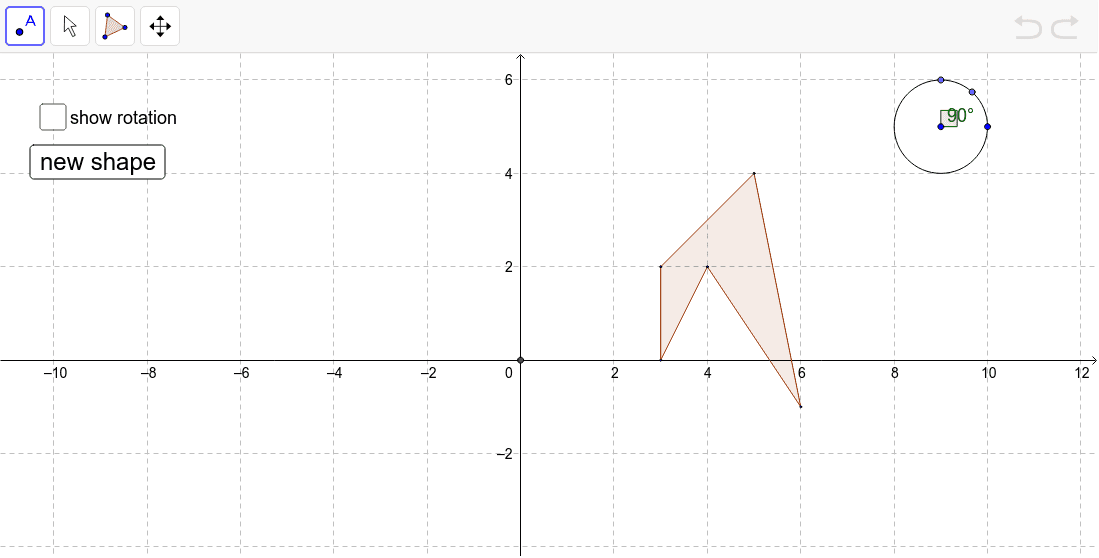
This example shows how to draw the rotation of a polygon by sliding a point around a circle. Users can select rotation angles of 90°, 180°, or 270°, observing the polygon’s transformed position in the plane. The core mathematics involve rotation transformations, angle measurement, and coordinate geometry. Construction uses GeoGebra commands: Polygon to create the original shape, Circle to define the rotation center, Point to control the angle, Angle to measure it, Rotate to apply the transformation, and Intersect for any intersection handling. Suitable for middle school and high school geometry lessons, as well as introductory transformation and coordinate geometry courses.
GeoGebra Commands & Parameters
Polygon(A, B, C, D, E) → poly1, a, b, c, d, eIntersect(xAxis, yAxis) → FCircle(G, H) → fPoint(f) → IPoint(f) → JAngle(H, G, J) → αRotate(A, α, F) → A'Rotate(B, α, F) → B'Rotate(C, α, F) → C'Rotate(D, α, F) → D'Rotate(E, α, F) → E'Polygon(A', B', C', D', E') → poly1', a', b', c', d', e'Rotate(A, α, F) → A'_1Rotate(B, α, F) → B'_1Rotate(C, α, F) → C'_1Rotate(D, α, F) → D'_1Rotate(E, α, F) → E'_1Polygon(A'_1, B'_1, C'_1, D'_1, E'_1) → poly1'_1, a'_1, b'_1, c'_1, d'_1, e'_1
AI Drawing Prompt Reference
Draw a pentagon and its rotation about the origin. Start by constructing an arbitrary five-sided polygon in the coordinate plane. Draw a circle with a chosen center and a point on its circumference. Place two movable points on the circle, then measure the angle between the line from the circle center to one of these points and a reference direction. Use this angle as the rotation amount. Rotate each vertex of the original pentagon about the origin by this angle to produce five new vertices, and connect them to form the rotated pentagon. Letting the user drag the point on the circle should update the rotation angle in real time, showing how the polygon transforms.
The prompt above was compiled from the original drawing commands and is for reference only.