
Drawing Angles: Hot and Cold Activity
Loading the math board and drawing, please wait…
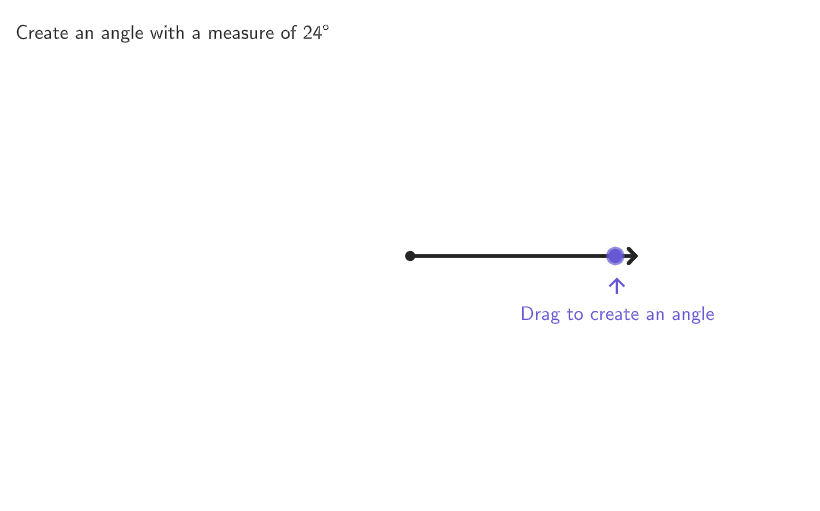
This example uses hot and cold hints to help students understand angle measurement. Using GeoGebra commands such as dynamic coordinates and angle measurement, students can draw and measure angles, understanding that a circle measures 360 degrees. Suitable for 4-5 grade students for geometry construction and measurement practice.
GeoGebra Commands & Parameters
Shuffle(Sequence[5, 175]) → randomAngles, {24, 52, 42, 110, 94, 121, 105, 100, 61, 150, 118, 49, 35, 79, 156, 173, 135, 18, 126, 115, 48, 155, 33, 143, 136, 104, 107, 83, 8, 97, 122, 60, 74, 165, 159, 34, 6, 86, 170, 91, 169, 14, 149, 112, 146, 137, 72, 95, 144, 154, 69, 46, 151, 81, 20, 139, 152, 103, 82, 96, 70, 87, 26, 77, 113, 11, 53, 147, 127, 141, 99, 162, 140, 148, 27, 109, 44, 7, 13, 12, 19, 123, 142, 78, 164, 73, 68, 130, 15, 90, 93, 85, 75, 47, 30, 9, 45, 66, 31, 71, 125, 98, 138, 171, 21, 132, 92, 108, 16, 43, 174, 58, 172, 23, 67, 63, 56, 76, 65, 88, 160, 39, 54, 50, 129, 64, 37, 116, 36, 163, 153, 120, 168, 28, 101, 10, 166, 158, 25, 17, 41, 114, 89, 175, 145, 84, 119, 167, 161, 124, 106, 40, 134, 128, 55, 51, 131, 38, 117, 157, 102, 111, 62, 59, 32, 57, 5, 22, 80, 29, 133}Element(randomAngles, Mod[questionCount, Length[randomAngles]] + 1) → angleToMeasureShuffle(Sequence[pi / 15, (2 * pi) - pi / 15, pi / 15]) → randomFixedEndPoints, {0.41887902047863906, 3.351032163829112, 3.1415926535897927, 4.817108735504349, 5.235987755982989, 0.6283185307179586, 1.2566370614359172, 0.8377580409572781, 4.607669225265029, 5.026548245743669, 2.722713633111154, 1.884955592153876, 3.5604716740684315, 5.6548667764616285, 0.20943951023931953, 1.4660765716752369, 1.6755160819145565, 3.9793506945470702, 1.0471975511965976, 3.769911184307751, 2.303834612632515, 5.445427266222309, 2.0943951023931957, 6.073745796940268, 5.864306286700948, 2.9321531433504733, 4.18879020478639, 2.5132741228718345, 4.3982297150257095}Flatten({Sequence[0, ii, 1, 5], randomFixedEndPoints}) → AnglesFixedEndPointElement(AnglesFixedEndPoint, Mod[questionCount, Length[AnglesFixedEndPoint]] + 1) → angleFixedEndPointSegment(Cent, Dilate[FixedEndPoint, 1.1]) → seg1Circle(Cent, 4) → CircMovablePointPoint(CircMovablePoint) → MovableEndPointDynamicCoordinates(MovableEndPoint, x(MovableEndPoint), y(MovableEndPoint)) → MovablePointDynSegment(Cent, Dilate[MovablePointDyn, 1.1]) → seg2Angle(seg1, seg2) → αIf(dif ≤ 1°, 4, If[dif ≤ 10°, 3, If[dif ≤ 30°, 2, 1]]) → colorCaseDilate(MovablePointDyn, 4.2 / 4) → CCircle(Cent, 4.2) → CircHintAngle(Vector[(1, 0)], Vector[MovablePointDyn]) → α2Rotate(ProtImg, 180°) → ProtImg2Corner(5) → AppSizeCircle(ProtractorCenter_{1}, ProtractorRadius_{1}) → ProtractorCircle_{1}Mirror(ProtractorRight_{1}, Cent) → ProtractorLeft_{1}Line(ProtractorLeft_{1}, ProtractorRight_{1}) → ProtractorLine_{1}Rotate(ProtractorRight_{1}, -90°, ProtractorLeft_{1}) → ProtractorRightDyn'_{1}Ray(ProtractorLeft_{1}, ProtractorRightDyn'_{1}) → ProtractorPerpendicular_{1}Intersect(Circle[ProtractorLeft_{1}, (ProtractorDist_{1} * ProtractorRadius_{1})], ProtractorPerpendicular_{1}) → ProtractorCorner1_{1},Midpoint(Corner[ProtImg, 4], Corner[ProtImg, 3]) → AIf(correct, "\hspace{15}✓ Correct!\hspace{15}", "✘ Try Again") → text1Translate(ProtractorRight_{1}, Vector[ProtractorLeft_{1}, ProtractorCorner1_{1}]) → ProtractorCorner2_{1}Midpoint(Corner[ProtImg2, 4], Corner[ProtImg2, 3]) → BRotate(C, (-10° * If[requestedAngle ≤ α, 1, -1])) → ERotate(C, (-5° * If[requestedAngle ≤ α, 1, -1])) → DVector(D, E) → uRotate(C, (5° * If[requestedAngle ≤ α, 1, -1])) → D'Rotate(C, (10° * If[requestedAngle ≤ α, 1, -1])) → E'Arc(CircHint, If[requestedAngle ≥ α, C, E], If[requestedAngle ≥ α, E, C]) → HintArcMirror(HintArc, Line[MovablePointDyn, Cent]) → HintArc'Vector(D', E') → vText(text3, C, true, true, If[x(C) ≥ 0, 1, -1], If[y(C) ≥ 3.5, -1, 0]) → text4Dilate(MovablePointDyn, 1.1) → MovablePointDyn'If(altPoint, Translate[(0, 0), Vector[((4 * 1.1) * (cos(130°), sin(130°)))]], MovablePointDyn') → PointFeedbackText(textCold, PointFeedback, true, true, If[x(MovablePointDyn) > 0, 1, -1], 0) → textColdPosonboardingTextOffset(Corner[onboardingText_{2}, 1], Corner[onboardingText_{2}, 3], onboardingCase_{1}, Corner[1], Corner[3], Corner[5]) → OnboardingTextOffset_{1}circlePixels(MovablePointDyn, 7 + (7 * pulsing), Corner[1], Corner[3], Corner[5]) → pulsingobject
AI Drawing Prompt Reference
This is a geometry activity to help students understand angle measurement. The drawing includes a movable endpoint, a fixed endpoint, and a scalable ruler. Students can draw a line segment and measure the angle formed with the ruler, understanding that a circle is 360 degrees. The construction order is: first, randomly generate a set of angles and select one as the target angle; then, create a fixed endpoint and corresponding fixed line segment; next, create a movable endpoint and draw a scalable ruler; measure the angle, then draw a protractor and connect it to the movable endpoint; finally, compare the actual angle with the target angle to determine correctness. The process emphasizes dynamic construction and angle comparison, suitable for 4-5 grade students practicing geometry construction and measurement.
The prompt above was compiled from the original drawing commands and is for reference only.