
Draw Reflection Line
Loading the math board and drawing, please wait…
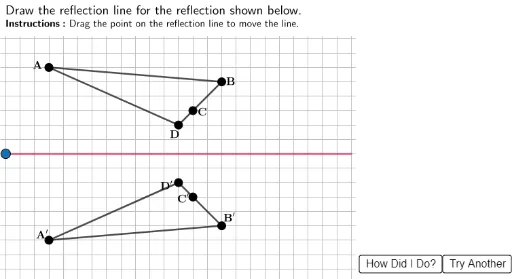
This example demonstrates how to draw a reflection line. The core mathematical concepts involved are reflection transformations. Using GeoGebra commands such as Polygon, Mirror, and Sequence, the reflection effect can be constructed. Suitable for students at junior high school level and above to learn about reflection transformations.
GeoGebra Commands & Parameters
Polygon((24.3, 20), (40, 20), (40, -5), (24.3, -5)) → RightBox, j, k, l, mPolygon((-5, 16.2), (40, 16.2), (40, 20), (-5, 20)) → TopBox, f, g, h, iPolygon(A, B, C, D) → ABCD, a, b, c, dMirror(A, ans) → A'Mirror(B, ans) → B'Mirror(C, ans) → C'Mirror(D, ans) → D'Polygon(A', B', C', D') → ABCD1, a', b', c', d'Sequence((0, j), j, 0, 16, 1) → GridSpace1Point(GridSpace1) → H1Segment(H1, H2) → HorizSequence((j, 0), j, 0, 24, 1) → GridSpace2Point(GridSpace2) → V1Segment(V1, V2) → VertIntersect(Axis, ans) → AnsPt