
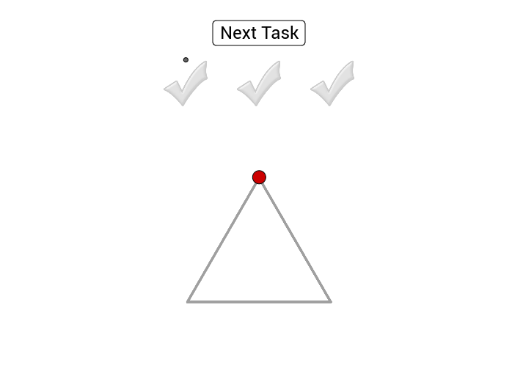
Drag the Red Point to Draw and Reshape a Triangle
Loading the math board and drawing, please wait…
In collections
Tracing Geometric Figures
① This interactive GeoGebra example lets users drag a red point to dynamically reshape a triangle, demonstrating how vertex positions alter the triangle's form. ② Core mathematical concepts include triangle construction, vertex coordinates, side lengths, angles, and polygon properties. ③ Construction details: The triangle is built using PolyLine and Polygon commands, with a draggable Point (red) controlling one vertex; Intersect finds intersection points, Circle and Angle visualize angle measures, while Length and Sum compute side lengths and perimeter. Dynamic updates are enabled through sliders or live object dependencies. ④ Suitable for middle school and above, this tool serves as an engaging visual aid for teaching triangle geometry, exploring angle sums, side variations, and the effects of vertex movement in a hands-on manner.
GeoGebra Commands & Parameters
PolyLine(O_1, Q_1, P_1, O_1) → lPolyLine(I_1, J_1, K_1, I_1) → jPolygon(L, E_1, 3) → Vieleck1, f, g, h, F_1PolyLine(L, E_1, F_1, L) → iIntersect(xAxis, yAxis) → APoint(yAxis) → BCircle(A, B) → cCircle(A, B) → dPoint(i) → CAngle(F_1, A, C) → αLength(sectors) → nSum(sectors) → sumCircle(A, H) → ePoint(j) → IAngle(H, A, I) → βCircle(A, J) → kPoint(l) → KAngle(J, A, K) → γSum(sectors2) → sum2Sum(sectors3) → sum3
AI Drawing Prompt Reference
Create an interactive triangle where one vertex can be reshaped by dragging a red point, demonstrating how vertex positions alter the triangle's form. Include three line segments for the sides, with measurements for each angle and side length. Add a circle to visualize angles and compute the perimeter. Utilize coordinate axes and intersection points for initial positioning, enabling dynamic updates to illustrate geometric properties.
The prompt above was compiled from the original drawing commands and is for reference only.