
Double Knot on a Torus
Loading the math board and drawing, please wait…
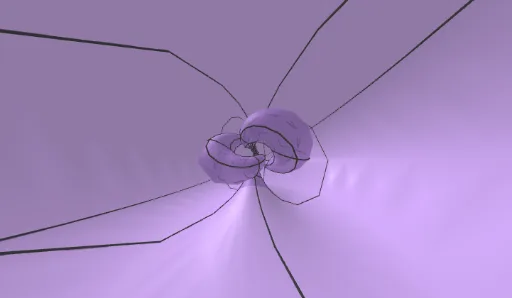
This example demonstrates a double knot on a torus. The core mathematical concepts involved are solid geometry and parametric equations. Using commands like Surface and Rotate, the construction of a double knot on a torus can be achieved. Suitable for high school students and math enthusiasts.
GeoGebra Commands & Parameters
Surface(gx(u, v), gy(u, v), gz(u, v), u, (-3 * π), (3 * π), v, (-π), π) → KnotSurface((rad * gx(u, v) / normgf2(u, v)), (rad * gy(u, v) / normgf2(u, v)), (rad * gz(u, v) / normgf2(u, v)), u, 0, (6 * π), v, 0, (2 * π)) → torusKnotRotate(torusKnot, rotY, yAxis) → torusKnotRotYRotate(torusKnotRotY, rotX, xAxis) → torusKnotRotX
AI Drawing Prompt Reference
Draw a double knot on a torus by first creating a surface based on parametric equations to represent the double knot, then scaling and rotating this surface around the Y-axis and X-axis to form a toroidal structure, resulting in a three-dimensional geometric double knot torus.
The prompt above was compiled from the original drawing commands and is for reference only.