
Dot Product Vector Coordinates Demo
Loading the math board and drawing, please wait…
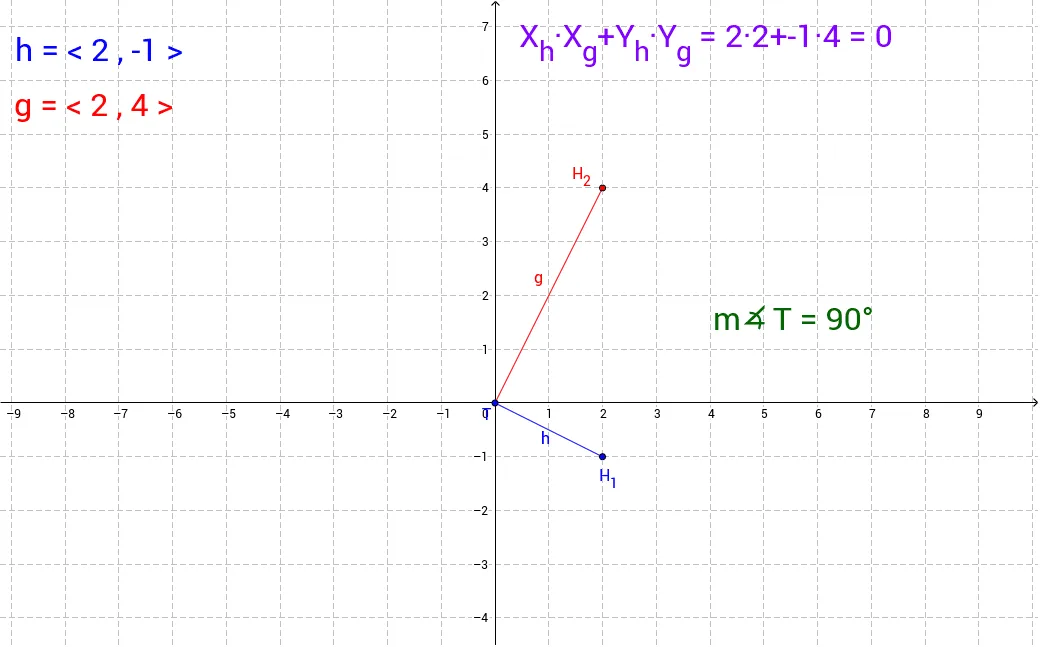
This example demonstrates the calculation and visualization of the dot product of vectors by moving the vector heads. It involves core mathematical concepts like vector coordinate representation, dot product formula, and the relationship between vector magnitude and angle. Constructed using GeoGebra commands Segment, Line, Angle, and objects such as T, H_1, h, a, b, c, d, e, f, H_2, g, text3, H2, i, j, text1, k, l, α, text2, m, text4. Suitable for high school mathematics teaching to understand vector operations and geometric transformations.
GeoGebra Commands & Parameters
Segment(T, H_1) → hSegment(T, H_2) → gLine(H_2, h) → kLine(H_1, g) → lAngle(H_1, T, H_2) → α
AI Drawing Prompt Reference
Draw two vectors starting from the same point and mark their heads. Connect the heads of these vectors to the starting point with line segments to form a parallelogram. Measure the angle between the two vectors and label it in the diagram. Also, display the coordinate representation of the vectors, the dot product formula, and the relationship between vector magnitude and angle next to the diagram to illustrate vector operations and geometric transformations.
The prompt above was compiled from the original drawing commands and is for reference only.