
Distance Between Two Points (Length of Line Segment)
Loading the math board and drawing, please wait…
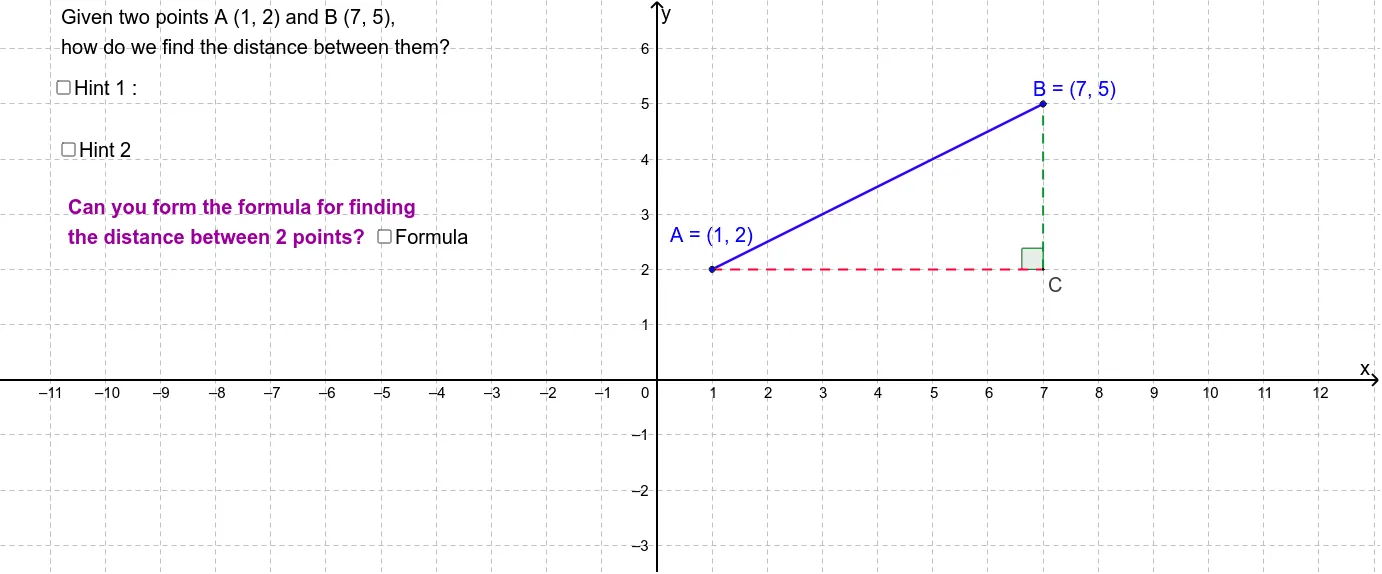
This example demonstrates how to calculate the distance between two points through visual applet. Core math concepts include line segment, Pythagorean theorem, and coordinate geometry. It uses commands like Segment, Line, Intersect, Angle, and Midpoint in GeoGebra for construction. Suitable for middle school students and classroom demonstrations.
GeoGebra Commands & Parameters
Segment(A, B) → aLine(B, yAxis) → bLine(A, xAxis) → cIntersect(b, c) → CSegment(A, C) → dSegment(C, B) → eAngle(B, C, A) → αMidpoint(d) → DMidpoint(e) → E
AI Drawing Prompt Reference
Draw two coordinate axes and mark the origin. Select two points on the plane and connect them to form a line segment. Then draw perpendicular lines from these two points to the coordinate axes, find their intersection point, and connect this point to the endpoints of the original line segment to form a triangle. Measure one acute angle of the triangle, identify the midpoints of the line segments, and display all geometric elements like the line segment, perpendicular lines, intersection point, triangle, and midpoints to show their relationships.
The prompt above was compiled from the original drawing commands and is for reference only.