
Dilation Explorer: Discovering Similarity Patterns
Loading the math board and drawing, please wait…
In collections
Exploring Dilations
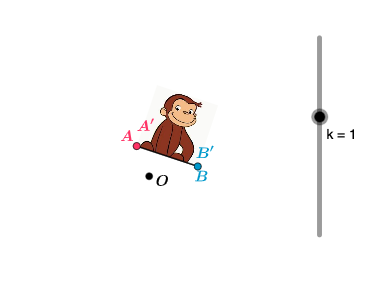
This example demonstrates geometric transformations under dilation (scaling). By dragging the scale factor slider k, users observe how original figures change and discover the properties of similar figures: corresponding sides are proportional, corresponding angles are equal. Key mathematical concepts include similar triangles, similarity transformation, and dilation. Construction uses Segment command to draw reference segment AB, and Dilate command to scale points A, B and function graph f with center C and factor k, producing A', B', f'. Suitable for middle school similarity teaching or understanding coordinate plane transformations, appropriate for grade 8 and above.
GeoGebra Commands & Parameters
Segment(A, B) → fDilate(pic1, k, C) → pic1'Dilate(A, k, C) → A'Dilate(B, k, C) → B'Segment(A', B') → f'
AI Drawing Prompt Reference
Draw a dilation demonstration centered at point C. Start with a reference segment defined by two endpoints. Then, using C as the center and a variable scale factor k, dilate both endpoints to obtain their images, and connect these images to form the scaled segment. Additionally, include an original shape (such as a triangle or a function graph) that is also dilated with the same center and factor, producing its scaled version. By adjusting the scale factor slider, observe how the original and scaled figures maintain similarity: corresponding sides are proportional and corresponding angles remain equal.
The prompt above was compiled from the original drawing commands and is for reference only.