
Dilation and Rotation
Loading the math board and drawing, please wait…
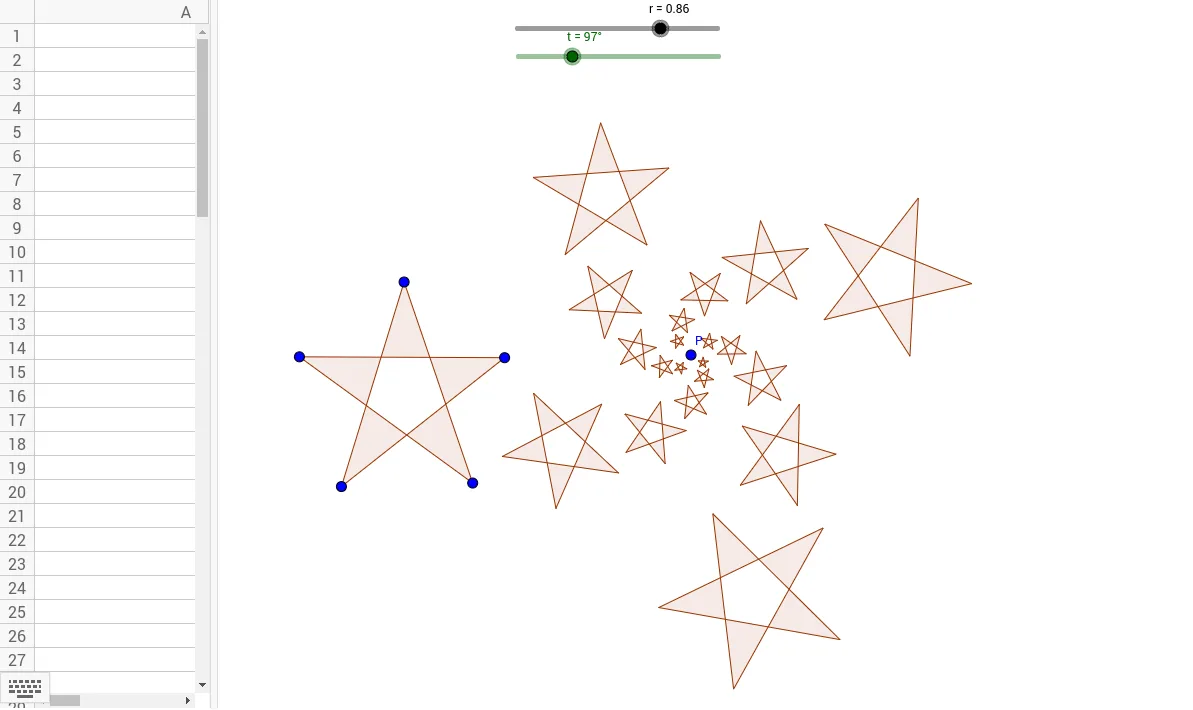
This example demonstrates the concepts of dilation and rotation. By transforming a triangle, students can understand the basic principles of these transformations. Commands used include Polygon and Rotate, suitable for middle school and above students learning geometric transformations.
GeoGebra Commands & Parameters
Polygon(C, E, A, D, B) → P1, c, e, a, d, bRotate(Polygon[Dilate[C, r, P], Dilate[E, r, P], Dilate[A, r, P], Dilate[D, r, P], Dilate[B, r, P]], t, P) → A1Rotate(Dilate[A1, r, P], t, P) → A2Rotate(Dilate[A2, r, P], t, P) → A3Rotate(Dilate[A3, r, P], t, P) → A4Rotate(Dilate[A4, r, P], t, P) → A5Rotate(Dilate[A5, r, P], t, P) → A6Rotate(Dilate[A6, r, P], t, P) → A7Rotate(Dilate[A7, r, P], t, P) → A8Rotate(Dilate[A8, r, P], t, P) → A9Rotate(Dilate[A9, r, P], t, P) → A10Rotate(Dilate[A10, r, P], t, P) → A11Rotate(Dilate[A11, r, P], t, P) → A12Rotate(Dilate[A12, r, P], t, P) → A13Rotate(Dilate[A13, r, P], t, P) → A14Rotate(Dilate[A14, r, P], t, P) → A15Rotate(Dilate[A15, r, P], t, P) → A16Rotate(Dilate[A16, r, P], t, P) → A17Rotate(Dilate[A17, r, P], t, P) → A18Rotate(Dilate[A18, r, P], t, P) → A19Rotate(Dilate[A19, r, P], t, P) → A20