
Rotations and Dilations
Loading the math board and drawing, please wait…
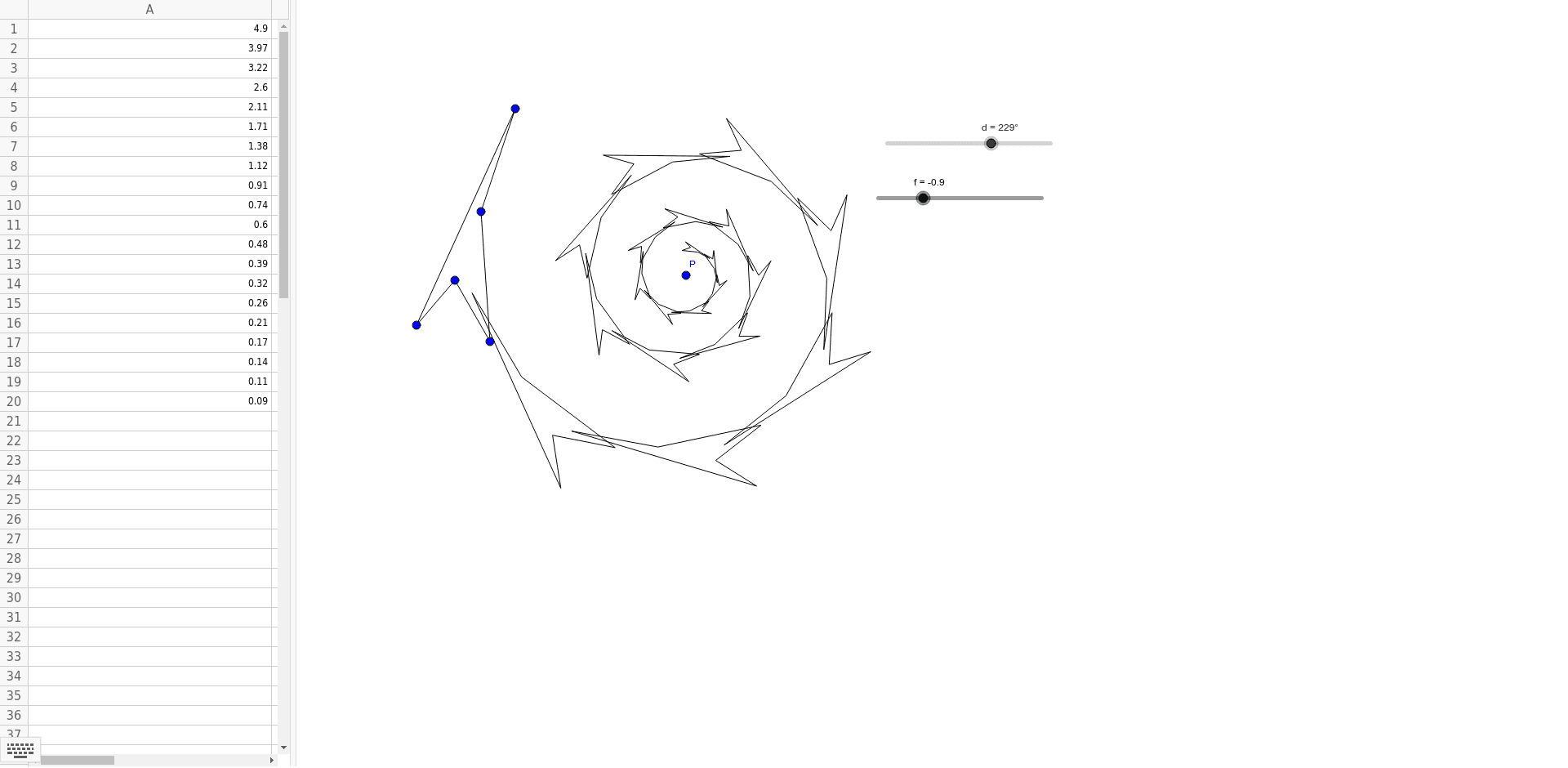
This example demonstrates the concepts of rotations and dilations. Using vector and rotation commands, dynamic changes in points and shapes on the plane can be observed. The construction summary mentions the use of the Rotate command and a series of point and polygon objects. Suitable for students at the junior high school level and above to learn geometric transformations.
GeoGebra Commands & Parameters
Polygon(A, B, C, D, E) → poly1, a, b, c, d_1, eRotate(Polygon[Dilate[A, f, P], Dilate[B, f, P], Dilate[C, f, P], Dilate[D, f, P], Dilate[E, f, P]], d, P) → A1Rotate(Dilate[A1, f, P], d, P) → A2Rotate(Dilate[A2, f, P], d, P) → A3Rotate(Dilate[A3, f, P], d, P) → A4Rotate(Dilate[A4, f, P], d, P) → A5Rotate(Dilate[A5, f, P], d, P) → A6Rotate(Dilate[A6, f, P], d, P) → A7Rotate(Dilate[A7, f, P], d, P) → A8Rotate(Dilate[A8, f, P], d, P) → A9Rotate(Dilate[A9, f, P], d, P) → A10Rotate(Dilate[A10, f, P], d, P) → A11Rotate(Dilate[A11, f, P], d, P) → A12Rotate(Dilate[A12, f, P], d, P) → A13Rotate(Dilate[A13, f, P], d, P) → A14Rotate(Dilate[A14, f, P], d, P) → A15Rotate(Dilate[A15, f, P], d, P) → A16Rotate(Dilate[A16, f, P], d, P) → A17Rotate(Dilate[A17, f, P], d, P) → A18Rotate(Dilate[A18, f, P], d, P) → A19Rotate(Dilate[A19, f, P], d, P) → A20
AI Drawing Prompt Reference
Draw a pentagon formed by five points, then repeatedly rotate and scale it around a central point, each time applying the same angle of rotation and scaling factor, creating a series of pentagons that gradually move away from the center to demonstrate the combined effect of rotation and dilation.
The prompt above was compiled from the original drawing commands and is for reference only.