
Rotation and Dilation
Loading the math board and drawing, please wait…
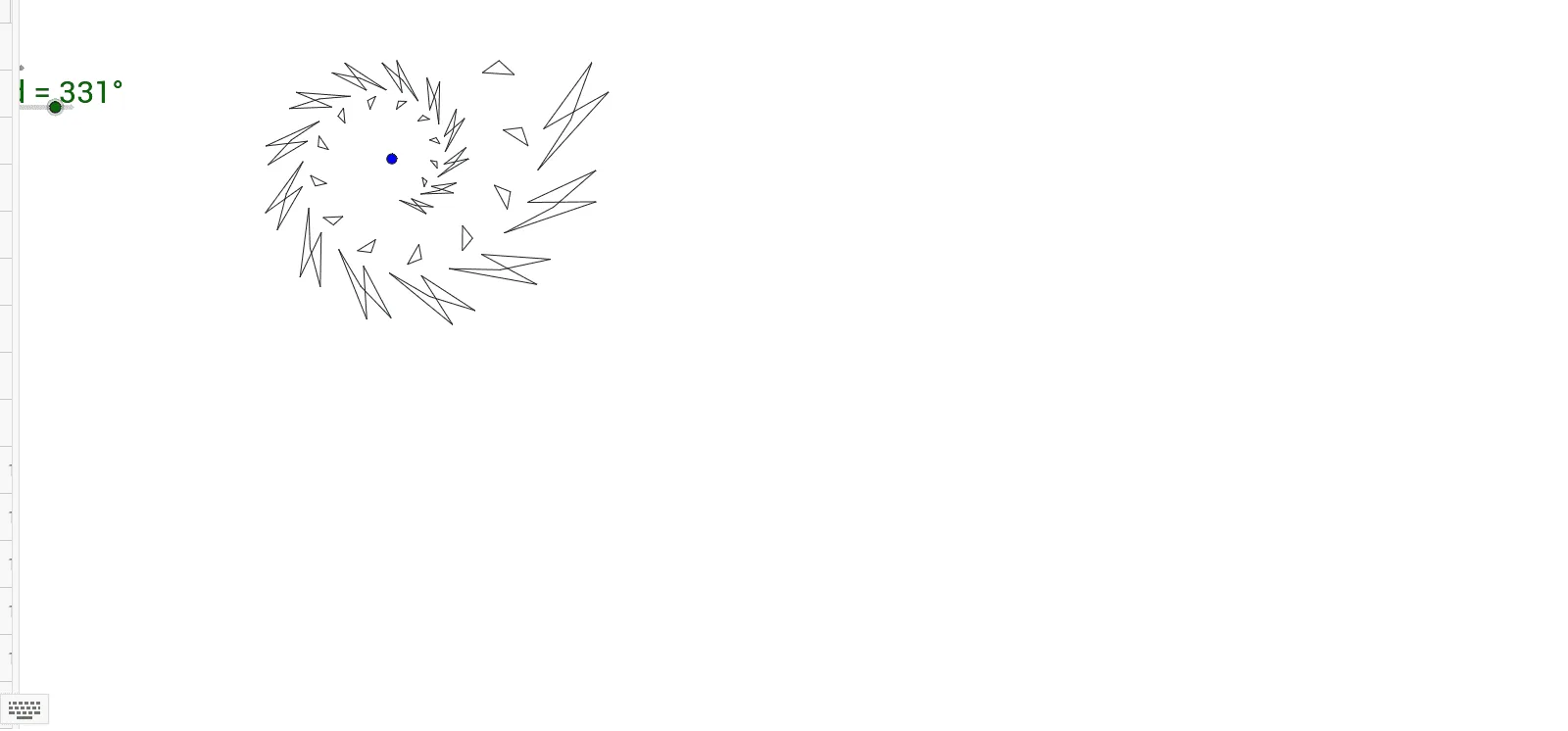
This example demonstrates rotation and dilation transformations involving circles and polygons. Using commands like Polygon and Rotate, the construction of transformed shapes is shown. Suitable for middle school and above students learning geometric transformations.
GeoGebra Commands & Parameters
Polygon(A, B, D, E, F) → poly1, a, b, d_1, e, f_1Rotate(Polygon[Dilate[A, f, C], Dilate[B, f, C], Dilate[D, f, C], Dilate[E, f, C], Dilate[F, f, C]], d, C) → A1Rotate(Dilate[A1, f, C], d, C) → A2Rotate(Dilate[A2, f, C], d, C) → A3Rotate(Dilate[A3, f, C], d, C) → A4Rotate(Dilate[A4, f, C], d, C) → A5Rotate(Dilate[A5, f, C], d, C) → A6Rotate(Dilate[A6, f, C], d, C) → A7Rotate(Dilate[A7, f, C], d, C) → A8Rotate(Dilate[A8, f, C], d, C) → A9Polygon(G, H, I) → poly2, i, g, hRotate(Polygon[Dilate[G, f, C], Dilate[H, f, C], Dilate[I, f, C]], d, C) → B1Rotate(Dilate[B1, f, C], d, C) → B2Rotate(Dilate[B2, f, C], d, C) → B3Rotate(Dilate[B3, f, C], d, C) → B4Rotate(Dilate[B4, f, C], d, C) → B5Rotate(Dilate[B5, f, C], d, C) → B6Rotate(Dilate[B6, f, C], d, C) → B7Rotate(Dilate[B7, f, C], d, C) → B8Rotate(Dilate[B8, f, C], d, C) → B9Rotate(Dilate[A9, f, C], d, C) → A10Rotate(Dilate[A10, f, C], d, C) → A11Rotate(Dilate[A11, f, C], d, C) → A12Rotate(Dilate[A12, f, C], d, C) → A13Rotate(Dilate[A13, f, C], d, C) → A14Rotate(Dilate[A14, f, C], d, C) → A15Rotate(Dilate[B9, f, C], d, C) → B10Rotate(Dilate[B10, f, C], d, C) → B11Rotate(Dilate[B11, f, C], d, C) → B12Rotate(Dilate[B12, f, C], d, C) → B13Rotate(Dilate[B13, f, C], d, C) → B14Rotate(Dilate[B14, f, C], d, C) → B15
AI Drawing Prompt Reference
Draw a pentagon ABCDE and perform rotation and dilation transformations around point C, with each rotation angle d and dilation factor f. Then, draw a triangle GHI and perform the same transformations around point C. Finally, apply rotation and dilation transformations to the resulting shapes A9 and B9 to generate the final shapes A15 and B15.
The prompt above was compiled from the original drawing commands and is for reference only.