
Dilation and Distance Demo
Loading the math board and drawing, please wait…
In collections
Dilations
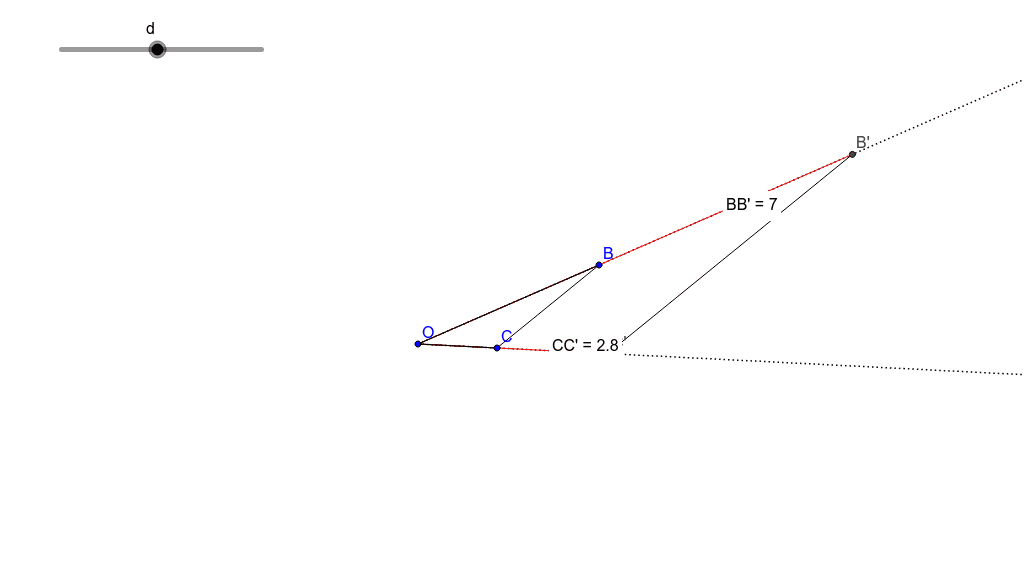
This example demonstrates the transformation of shapes through dilation and the proportional relationship of distances. It involves core math concepts like similar triangles, distance calculation, fractions, upper/lower sums or Riemann sums, scatter plots, reflections, and geometric constructions. The construction uses commands/objects such as Polygon, Intersect, Segment, Ray, Distance, and Midpoint from GeoGebra. Suitable for high school mathematics teaching, helping to understand transformation geometry and initial calculus concepts.
GeoGebra Commands & Parameters
Polygon(Dilate[B, d, O], Dilate[C, d, O], Dilate[O, d, O]) → poly1, a, b, cIntersect(a, c) → B'Intersect(a, b) → C'Segment(O, B) → eSegment(O, C) → fRay(O, B') → gRay(O, C') → hSegment(O, B') → iDistance(O, B) → distanceOBDistance(O, B') → distanceOB'Distance(O, C) → distanceOCDistance(O, C') → distanceOC'Segment(O, C') → jSegment(B, C) → kSegment(B', C') → lSegment(O, B) → mSegment(O, C) → nDistance(B, B') → distanceBB'Midpoint(B, B') →Distance(C, C') → distanceCC'Midpoint(C, C') →
AI Drawing Prompt Reference
Draw a triangle and dilate it from a point to create a new triangle. Connect the center of dilation to each vertex of the original triangle and draw rays from the center through the vertices of the new triangle. Measure and display the distances between the center of dilation and the vertices of both triangles, as well as the lengths of the sides of both triangles. Calculate and display the ratio of the side lengths to verify similarity.
The prompt above was compiled from the original drawing commands and is for reference only.