
Negative Dilation vs. Rotation
Loading the math board and drawing, please wait…
In collections
Dilations
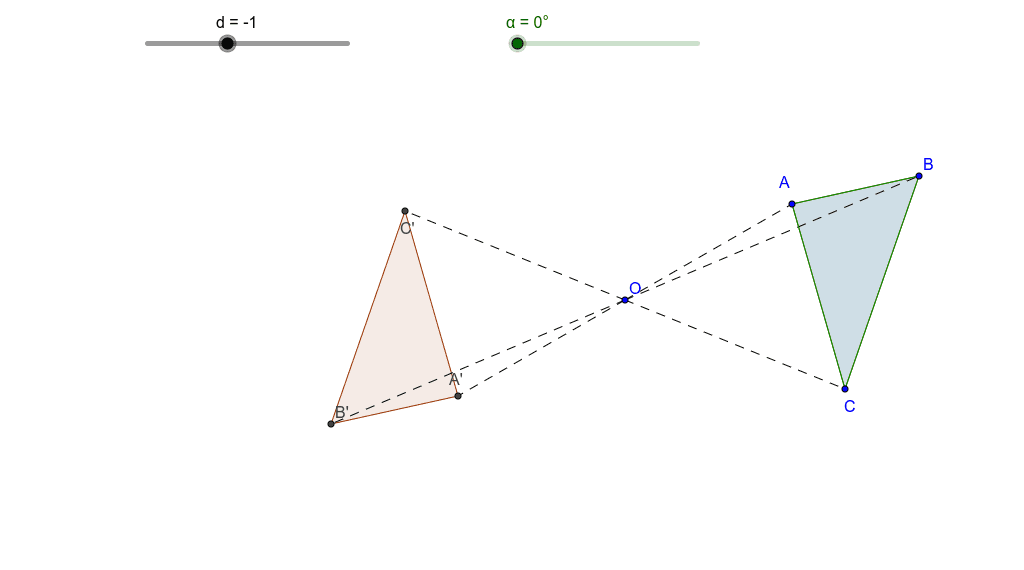
This example demonstrates the effects of negative dilation and rotation. By applying these transformations, you can observe changes in the shape. Key mathematical concepts include dilation, rotation, coordinates, and plane figures. It uses commands like Polygon, Intersect, and Segment in GeoGebra. Suitable for middle school math education and learning.
GeoGebra Commands & Parameters
Polygon(Rotate[C, α, O], Rotate[A, α, O], Rotate[B, α, O]) → poly2, k, l, mPolygon(Dilate[A, d, O], Dilate[B, d, O], Dilate[C, d, O]) → poly1, a, b, cIntersect(a, c) → A'Intersect(a, b) → B'Intersect(b, c) → C'Segment(O, A) → eSegment(O, B) → fSegment(O, C) → gSegment(O, A') → hSegment(O, B') → iSegment(O, C') → jPolygon(C, A, B) → poly3, b_1, c_1, a_1
AI Drawing Prompt Reference
Draw a triangle with three vertices. Rotate this triangle around a central point by a certain angle to form a second triangle. Also, dilate the original triangle from the same central point using a negative scale factor to create a third triangle. Connect the central point to each vertex of the original, rotated, and dilated triangles with line segments. The rotated and dilated triangles intersect at three points, which form a new triangle. This construction illustrates the effects of negative dilation and rotation on the shape.
The prompt above was compiled from the original drawing commands and is for reference only.