
Diffusion Equation Demonstration
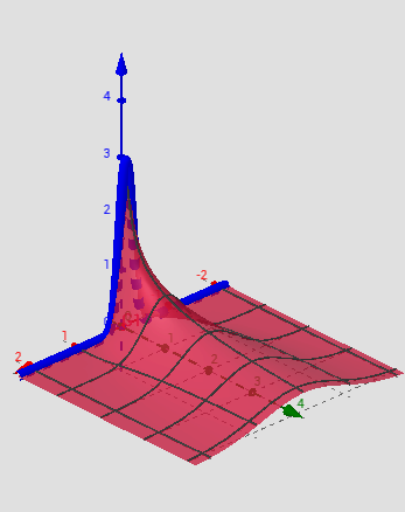
Loading the math board and drawing, please wait…
In collections
UQ-Applied Mathematical Analysis
This example dynamically visualizes the evolution of the solution to the diffusion equation over time. Key math concepts include partial differential equations, functions, random variables, sequences, and vector operations. Construction highlights involve commands like Rotate, Vector, Translate, Function, Textfield, If, utilizing objects such as t_1, c, G, f, a, f_1, u, b, speed, G1, buttons, input boxes, and text fields for an interactive model. Suitable for high school students and educators exploring diffusion processes and equation applications.
GeoGebra Commands & Parameters
Rotate(f, 90°, xAxis) → f_1Vector((0, 0, 0), (0, t_1, 0)) → uTranslate(f_1, u) → bFunction(G, (-a), a, 0.1, a + 3) → G1Textfield(c) → InputBox1Rotate(g, 90°, xAxis) → g_1Vector((0, 0, 0), (0, t, 0)) → vTranslate(g_1, v) → eTextfield(t) → InputBox2If(c < 0.3, 30, 5) → d
AI Drawing Prompt Reference
Create a dynamic visualization showing the evolution of a diffusion equation's solution over time, featuring a function and its 90-degree rotated version, a time-dependent vector, and translations combining these elements. Include sliders for parameters, text boxes for initial conditions, and a button that changes speed based on conditions. The construction should highlight function operations, vector calculus, and differential equations, suitable for educational purposes.
The prompt above was compiled from the original drawing commands and is for reference only.