
Diagonals of a Rectangle
Loading the math board and drawing, please wait…
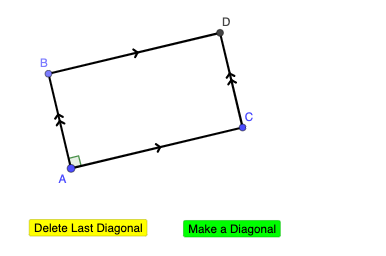
This example demonstrates the diagonals of a rectangle and their properties. Key math concepts include line segments, orthogonal lines, intersection points, and angles. It is constructed using GeoGebra commands like Segment, OrthogonalLine, Point, Intersect, and Angle. Suitable for middle school students and above to learn and understand geometric properties, ideal for classroom teaching or self-study.
GeoGebra Commands & Parameters
Segment(A, C) → fOrthogonalLine(A, f) → gOrthogonalLine(C, f) → hPoint(g) → BSegment(A, B) → iOrthogonalLine(B, g) → jIntersect(h, j) → DSegment(B, D) → kSegment(C, D) → lAngle(C, A, B) → α
AI Drawing Prompt Reference
Draw a rectangle by first creating a horizontal base segment. From the left endpoint, draw a perpendicular line upward, and from the right endpoint, draw another perpendicular line upward. Choose a point on the left perpendicular as the top-left corner, connect it to the left base endpoint to form the left side. Through this top-left corner, draw a line perpendicular to the left side, intersecting the right perpendicular to determine the bottom-right corner. Connect the vertices to complete the rectangle. Finally, draw both diagonals of the rectangle and mark the angle at the bottom-left corner between the base and the left side.
The prompt above was compiled from the original drawing commands and is for reference only.