
Determining Shape Similarity
Loading the math board and drawing, please wait…
In collections
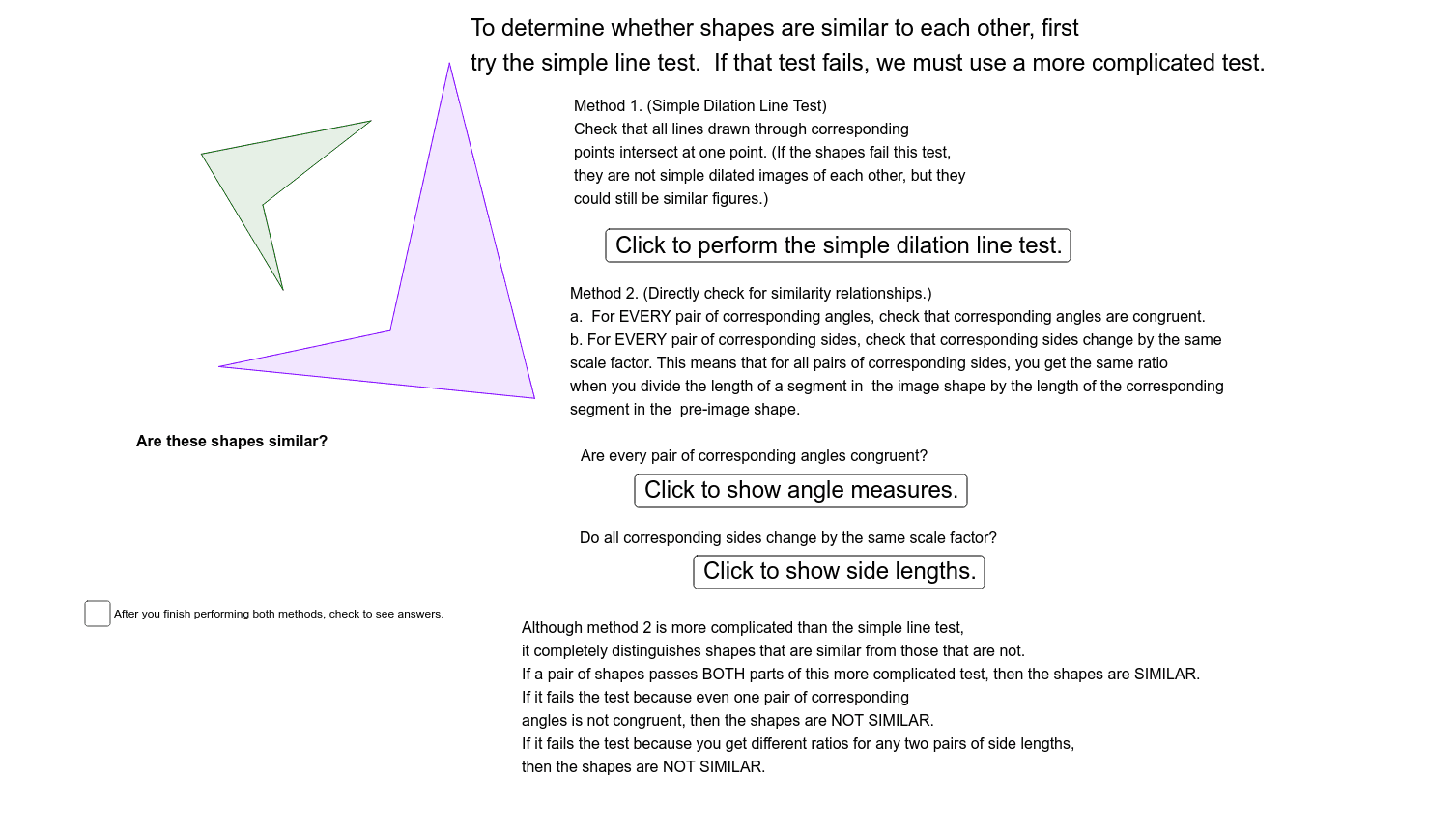
Dilation and Similarity Project: Part One
This example demonstrates how to determine if arbitrary polygons are similar using geometric transformations. Key concepts include transformations (translation, rotation, dilation), and similarity criteria. GeoGebra commands used are Polygon, Dilate, Line, Mirror, Angle, and Segment to construct and transform shapes. Suitable for high school students and math enthusiasts learning similarity criteria.
GeoGebra Commands & Parameters
Polygon(A, B, C, D) → poly1, a, b, c, dDilate(A, 2, E) → A'Dilate(B, 2, E) → B'Dilate(C, 2, E) → C'Dilate(D, 2, E) → D'Polygon(A', B', C', D') → poly1', a', b', c', d'Line(F, G) → eMirror(A', e) → A''Mirror(B', e) → B''Mirror(C', e) → C''Mirror(D', e) → D''Polygon(A'', B'', C'', D'') → poly1'', a'', b'', c'', d''Line(B, B'') → fLine(D'', D) → gLine(A'', A) → hLine(C'', C) → iAngle(C, B, A) → CBAAngle(D, C, B) → DCBAngle(A, D, C) → ADCAngle(B, A, D) → BADAngle(D'', A'', B'') → D'A'B'Angle(A'', B'', C'') → A'B'C'Angle(C'', D'', A'') → C'D'A'Angle(B'', C'', D'') → B'C'D'Segment(D, C) → jSegment(C, B) → kSegment(B, A) → lSegment(A, D) → mSegment(A'', D'') → nSegment(D'', C'') → pSegment(C'', B'') → qSegment(B'', A'') → r
AI Drawing Prompt Reference
Draw two similar arbitrary polygons to demonstrate their similarity through geometric transformations. Start by constructing a polygon, then scale and reflect it over a line to create another polygon. Measure and label the corresponding angles and sides of both polygons to show that their angles are equal and sides are proportional. Connect the corresponding vertices with lines to observe and verify the similarity criteria.
The prompt above was compiled from the original drawing commands and is for reference only.