
Describing Transformations by mrpettmaths
Loading the math board and drawing, please wait…
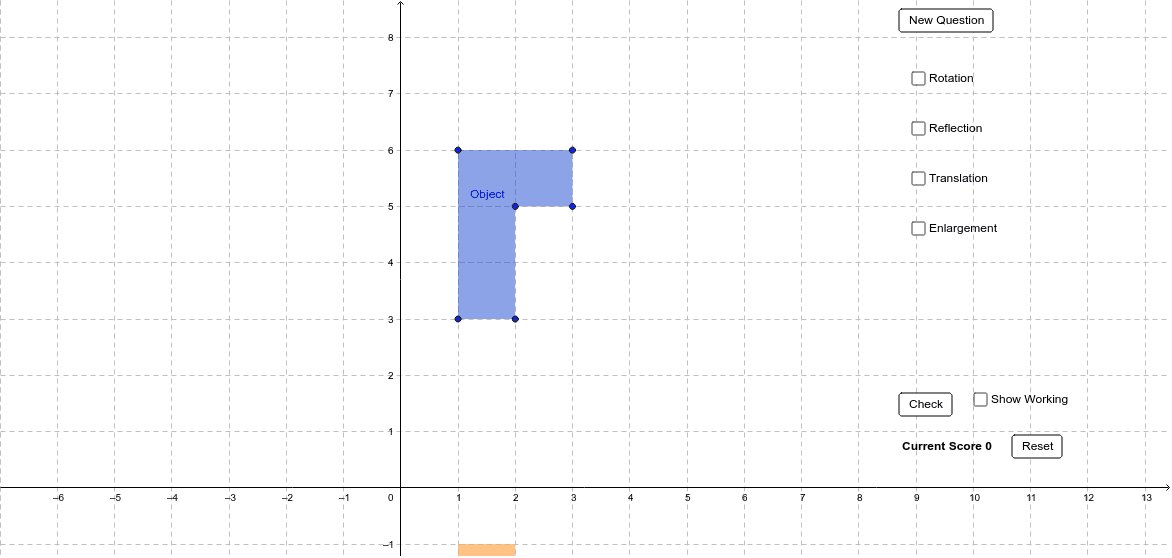
This example demonstrates the random generation and description of geometric transformations (reflection, rotation, translation) for GCSE mathematics. It involves core concepts like transformations, polygons, and coordinate geometry. Constructed using commands such as Random, Polygon, Textfield, and Ray, with objects like M_1 to F_1, A to F, a to f. Ideal for teaching or practicing transformation descriptions at the GCSE level.
GeoGebra Commands & Parameters
Random(0, 2) → aRandom(0, 2) → bPolygon(A, B, C, D, E, F) → Object, a_1, b_1, c, d, e, fPolygon(A_1, B_1, C_1, D_1, E_1, F_1) → RotateAnti90, a_2, b_2, c_1, d_1, e_1, f_1Polygon(A_2, B_2, C_2, D_2, E_2, F_2) → Rotate180, a_3, b_3, c_2, d_2, e_2, f_2Polygon(A_3, B_3, C_3, D_3, E_3, F_3) → RotateClock90, a_4, b_4, c_3, d_3, e_3, f_3Random(-2, 2) → x_1Random(-2, 2) → y_1Polygon(A_4, B_4, C_4, D_4, E_4, F_4) → XReflect, a_5, b_5, c_4, d_4, e_4, f_4Polygon(A_5, B_5, C_5, D_5, E_5, F_5) → YReflect, a_6, b_6, c_5, d_5, e_5, f_5Polygon(A_6, B_6, C_6, D_6, E_6, F_6) → XYReflect, a_7, b_7, c_6, d_6, e_6, f_6Random(-4, 4) → t_1Random(-4, 4) → t_2Random(2, 4) → kPolygon(A_7, B_7, C_7, D_7, E_7, F_7) → Trans, a_8, b_8, c_7, d_7, e_7, f_7Random(1, 2) → ce_xRandom(1, 2) → ce_yPolygon(A_8, B_8, C_8, D_8, E_8, F_8) → EnlargeSFk, a_9, b_9, c_8, d_8, e_8, f_8Random(1, 8) → nTextfield(ans_trx) → TranslateXTextfield(ans_try) → TranslateYTextfield(ans_rex) → ReflectXTextfield(ans_rey) → ReflectYTextfield(ans_rocx) → RotateCenterXTextfield(ans_rocy) → RotateCenterYTextfield(ans_esf) → EnlargeSFTextfield(ans_ecx) → EnlargeCXTextfield(ans_ecy) → EnlargeCYRay(CE, A) → jRay(CE, B) → lRay(CE, F) → mRay(CE, C) → pRay(CE, E) → r
AI Drawing Prompt Reference
Draw a randomly generated hexagon, then sequentially perform a 90-degree clockwise rotation, a 180-degree rotation, and a 90-degree counterclockwise rotation. Next, reflect it across the X-axis and Y-axis, and then reflect it across both axes. Finally, apply a translation and a scaling transformation. Show each transformed shape and label the transformation type and the coordinate changes of key points.
The prompt above was compiled from the original drawing commands and is for reference only.