
Deriving the Epicycloid Equations
Loading the math board and drawing, please wait…
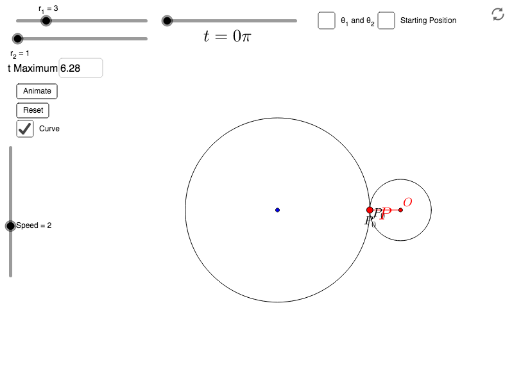
This example demonstrates the process of deriving the equations for an epicycloid. Key mathematical concepts include geometry and integral calculus. Using GeoGebra commands such as CurveCartesian, Rotate, and Arc, the construction of the epicycloid is illustrated. Suitable for high school mathematics education and learning.
GeoGebra Commands & Parameters
CurveCartesian(((r_1 + r_2) * cos(t)) - (r_2 * cos(((r_1 + r_2) / r_2 * t))), ((r_1 + r_2) * sin(t)) - (r_2 * sin(((r_1 + r_2) / r_2 * t))), t, 0, b) → aSegment(O, P) → jTextfield(Max) → inputBox1Circle((0, 0), r_1) → cCircle((((r_1 + r_2) * cos(b)), ((r_1 + r_2) * sin(b))), r_2) → dRotate(O + ((-r_2), (-r_2)), ((r_1 + r_2) / r_2 * b), O) → FRotate(O + (r_2, (-r_2)), ((r_1 + r_2) / r_2 * b), O) → GArc(c, P_0, Rotate[P_0, b]) → eRotate(P_0, b) → P_0'Arc(d, P_0', P) → hSegment(A, P_0) → kSegment(A, O) → lRotate(P_0', (-b), O) → BSegment(B, O) → mAngle(P_0, A, O) → θ_1Angle(B, O, A) → θ_1'Angle(A, O, P) → θ_2
AI Drawing Prompt Reference
Draw a geometric figure with an inner and outer circle, where a point on the outer circle rolls along the inner circle, creating a cycloid. Show the centers of both circles, the contact point, and the trajectory, connecting key points with arcs, labeling angles and segments to illustrate the relationship between geometry and calculus, suitable for high school mathematics education.
The prompt above was compiled from the original drawing commands and is for reference only.