
Demonstrating SAS Congruence
Loading the math board and drawing, please wait…
In collections
Triangle Congruence Activities
Triangle Congruence Activities
Triangle Congruence Activities
Triangle Congruence Activities
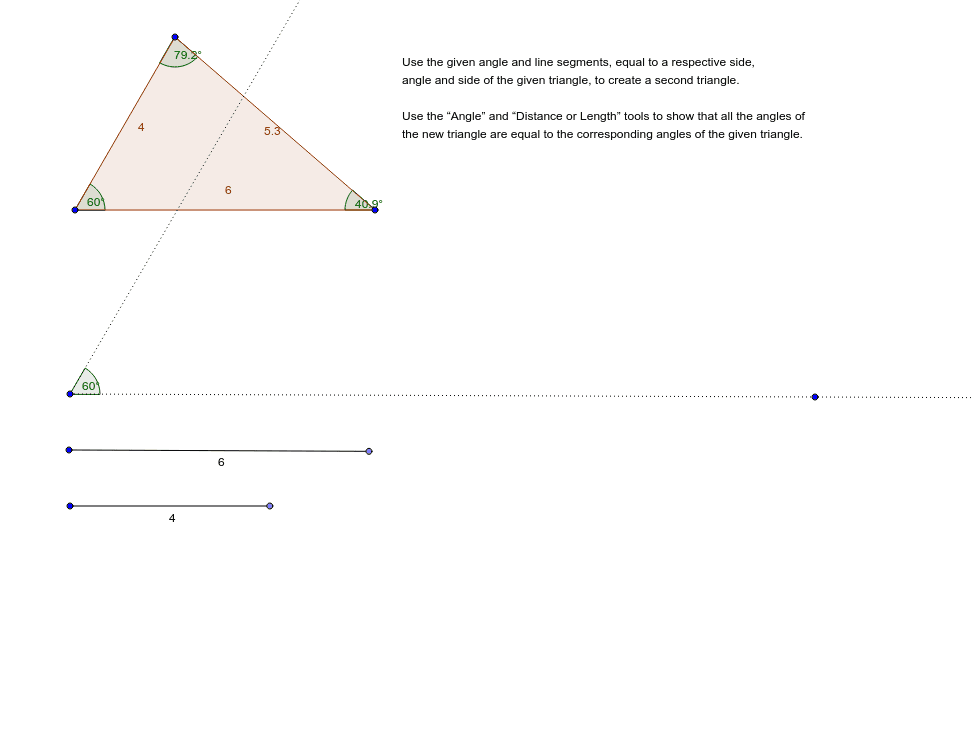
This example demonstrates that triangles with two congruent sides and a congruent included angle are congruent through an interactive activity. Key math concepts include triangle congruence (SAS), geometric construction, and angle measurement. It utilizes commands and objects like Polygon, Point, Segment, Angle, Ray, and Rotate in GeoGebra. Suitable for middle school and above students to understand and verify the SAS congruence condition.
GeoGebra Commands & Parameters
Polygon(A, B, C) → poly1, c, a, bPoint(Circle[D, Distance[A, B]]) → ESegment(D, E) → dPoint(Circle[H, Distance[A, C]]) → ISegment(H, I) → fAngle(A, B, C) → αAngle(B, C, A) → βAngle(C, A, B) → γRay(J, K) → gRotate(K, γ, J) → K'Angle(K, J, K') → δRay(J, K') → h
AI Drawing Prompt Reference
Draw triangle ABC, then take point D on AB and connect CD. Next, take point E on AC and connect DE. Measure angle ACB and rotate line segment DE to match angle ACB, resulting in new line segment DE'. Finally, measure the new angle DEC'.
The prompt above was compiled from the original drawing commands and is for reference only.