
Reflections Investigation 2
Loading the math board and drawing, please wait…
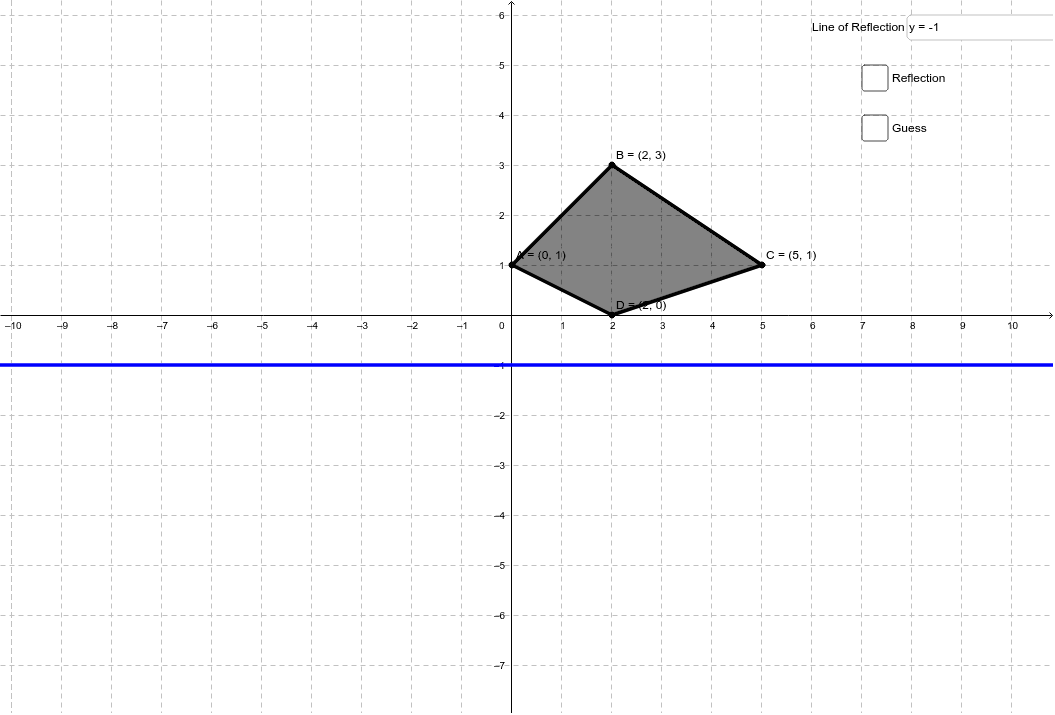
This example demonstrates how manipulating a quadrilateral and a line of reflection changes the reflection of the quadrilateral. It involves core math concepts like reflection transformation, geometric transformations, and coordinate geometry. Constructed using GeoGebra commands and objects such as Textfield, Polygon, Mirror. Suitable for middle school and above to understand geometric transformations and reflection principles.
GeoGebra Commands & Parameters
Textfield(a) → inputBox1Polygon(A, D, C, B) → poly1, a_1, b, c, dMirror(A, a) → A'Mirror(D, a) → D'Mirror(C, a) → C'Mirror(B, a) → B'Polygon(A', D', C', B') → poly1', a', d', c', b'Polygon(A_*, D_*, C_*, B_*) → poly2, e, f, g_1, h_1
AI Drawing Prompt Reference
Draw a quadrilateral and a reflection line, then manipulate the quadrilateral and reflection line to show how the reflection of the quadrilateral changes. Start by drawing the original quadrilateral, then reflect each vertex of the quadrilateral across the reflection line to get new reflected vertices, and connect these to form a new quadrilateral. Finally, draw another quadrilateral in a different position and perform the same reflection to show both sets of quadrilaterals and their reflections.
The prompt above was compiled from the original drawing commands and is for reference only.