
Dance with the Sine Waves
Loading the math board and drawing, please wait…
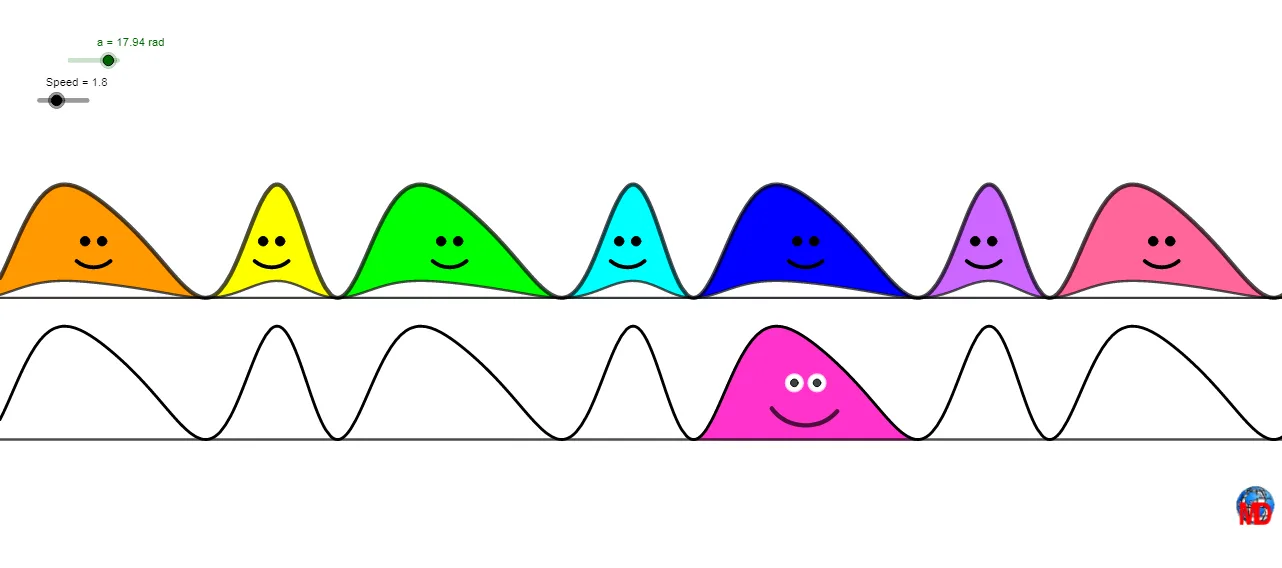
This example demonstrates the dynamic changes of sine curves. It involves core mathematical concepts of sine and cosine functions. Using GeoGebra commands such as Intersect, Integral, Segment, etc., complex graphics can be constructed. Suitable for high school mathematics education, especially for learning analytic geometry and trigonometry.
GeoGebra Commands & Parameters
Intersect(f, g, (5.542501724271062, 0)) → BIntersect(f, g, (14.154258972009975, 0)) → CIntegral(h, x(B), x(C)) → bSegment(B, C) → iMax(h, x(B), x(C)) → GOrthogonalLine(G, g) → kIntersect(f, g, (7.871073664817033, 0)) → LIntersect(f, g, (11.8256870314506, 0)) → MIntegral(h, x(L), x(B)) → nIntegral(h, x(C), x(M)) → oIntersect(f, g, (-0.740683582928259, 0)) → AIntersect(f, g, (1.587888357637607, 0)) → DIntersect(f, g, (20.43744427917633, 0)) → EIntersect(f, g, (18.108872338624618, 0)) → NIntersect(f, g, (26.72063, 0)) → OIntersect(f, g, (24.392057645809864, 0)) → PIntersect(f, g, (-4.695296949542135, 0)) → QIntersect(f, g, (-7.023868890107979, 0)) → SIntegral(h, x(S), x(Q)) → eIntegral(h, x(Q), x(A)) → jIntegral(h, x(A), x(D)) → uIntegral(h, x(D), x(B)) → wIntegral(h, x(C), x(N)) → a_1Integral(h, x(N), x(E)) → b_1Integral(h, x(E), x(P)) → e_1Integral(h, x(P), x(O)) → g_1Integral(h_1, x(B) - 15, x(C) + 18) → i_1Sequence(Midpoint[Element[l2, i], Element[l2, i + 1]], i, 1, Length[l2]) → l1Sequence(Element[l1, i] + (-0.15, 1), i, 1, Length[l1]) → l3Sequence(Element[l1, i] + (0.15, 1), i, 1, Length[l1]) → l4Sequence(Element[l1, i] + (0, 1), i, 1, Length[l1]) → l5Sequence(Element[l1, i] + (-0.3, 0.65), i, 1, Length[l1]) → l6Sequence(Element[l1, i] + (0.3, 0.65), i, 1, Length[l1]) → l7Sequence(CircleArc[Element[l5, i], Element[l6, i], Element[l7, i]], i, 1, Length[l5]) → l8CurveCartesian((i, r(i)), i, x(L), x(M)) → cCircleArc(F, K, T) → sCircle(I, 0.15) → tCircle(J, 0.15) → c_1Line(L, M) → m
AI Drawing Prompt Reference
Draw a dynamic graph with sine and cosine curves intersecting at multiple points. Connect adjacent intersection points with line segments, and shade the areas between the curves and the x-axis within each interval. At the highest point of one curve, draw a vertical line intersecting the other curve. Place small circles and arcs near intersections as decorative elements. Along the curve path, evenly distribute a series of small arcs to simulate dancing motion on the waves. Finally, draw an additional curve over a specific interval and add auxiliary lines connecting relevant intersection points. The overall composition highlights the geometric beauty and dynamic changes of trigonometric functions.
The prompt above was compiled from the original drawing commands and is for reference only.