
Cylinder Surface Area Calculation by n.roach
Loading the math board and drawing, please wait…
In collections
Surface Area
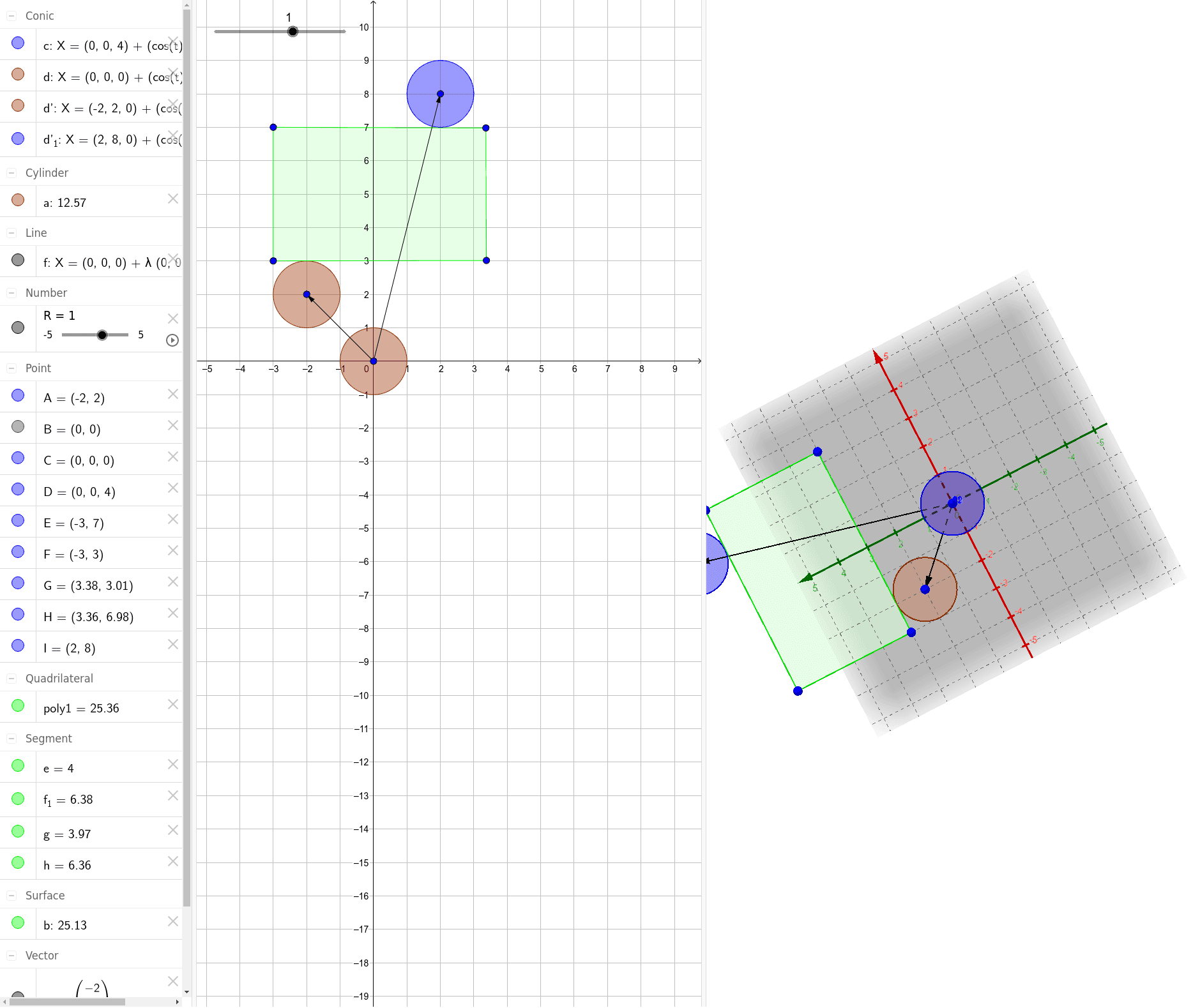
This example demonstrates how to calculate the surface area of a cylinder, involving core concepts like cylinder geometry, surface area formulas, and integral operations. GeoGebra commands used include Intersect, Line, Cylinder, Polygon, Vector, and Translate for construction. Suitable for high school students studying solid geometry and calculus.
GeoGebra Commands & Parameters
Intersect(xAxis, yAxis) → BLine(C, D) → fCylinder(D, C, R) → a, c, d, bPolygon(E, F, G, H) → poly1, e, f_1, g, hVector(C, A) → uTranslate(d, u) → d'Vector(C, I) → vTranslate(d, v) → d'_1
AI Drawing Prompt Reference
Draw a cylinder with the intersection of the x and y axes as a starting point. Create a line through this point and use it along with the origin to form the base and axis of the cylinder. On the side of the cylinder, select four points and connect them to form a quadrilateral. Then, draw a vector from the center of the base to the side, and translate a point on the side along this vector. Repeat this process with another vector pointing in a different direction from the base center to translate another point on the side.
The prompt above was compiled from the original drawing commands and is for reference only.