
Cylinder Lateral Area Calculation
Loading the math board and drawing, please wait…
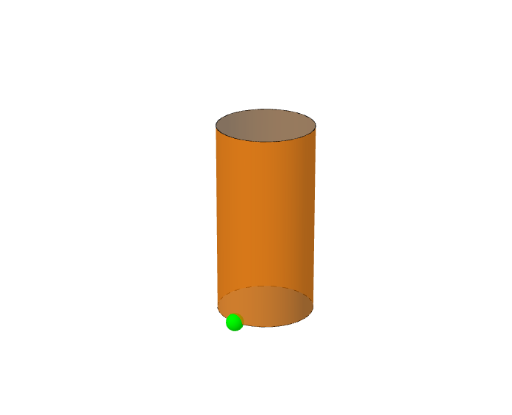
This example demonstrates how to calculate the lateral area of a cylinder using integration. Key math concepts include integral calculus, cylinder geometry, and function graphing. GeoGebra commands and objects used in construction are Intersect, Semicircle, Circle, Point, Angle, Segment, Mirror, CircleArc, Polygon, Plane, and Surface. Suitable for high school mathematics education to understand the application of integration in geometric calculations.
GeoGebra Commands & Parameters
Intersect(xAxis, yAxis) → ASemicircle((-1, 0), (1, 0)) → dCircle(A, 1) → cPoint(d) → QAngle(C, A, Q) → αSegment(Q, P) → fMirror(P, xAxis) → P'Mirror(Q, xAxis) → Q'CircleArc(A, Q, Q') → eMirror(Q, xAxis) → Q'_1Mirror(P, xAxis) → P'_1Segment(Q'_1, P'_1) → f'Point(zAxis) → BCircle(B, 1, zAxis) → gPolygon(P, Q, Q + (0, 0, z(B)), P + (0, 0, z(B))) → poly1, p, q, h, iPlane(zAxis, xAxis) → aMirror(poly1, a) → poly1'Surface(cos(t), sin(t), (u * 4), t, α, 360° - α, u, 0, 1) → b
AI Drawing Prompt Reference
Draw a cylinder to demonstrate the calculation of its lateral area. Start by plotting the intersection of coordinate axes, then draw a semicircle and a circle to define the base of the cylinder. Identify the intersection points and draw angles and segments. Use mirror operations to create symmetrical shapes for the side of the cylinder. Finally, utilize polygons and surface functions to sketch the side and base of the cylinder, fully illustrating the lateral area calculation process.
The prompt above was compiled from the original drawing commands and is for reference only.