
Cycloid Animation! Adjustable Radius and Speed
Loading the math board and drawing, please wait…
In collections
Parametric Equations
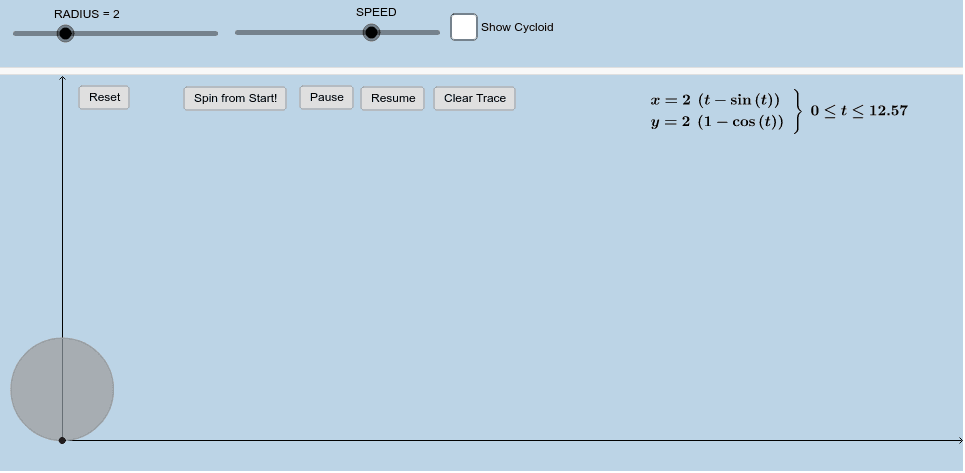
① This interactive applet dynamically demonstrates the cycloid (roulette) curve traced by a point on the rim of a circle as it rolls along a straight line, with user-adjustable tire radius and rotation speed. ② Core mathematical concepts include parametric curves, the parametric equations of a cycloid, tangents to a circle, velocity vectors, slopes, and intersections between curves and circles, touching on derivatives and tangent slopes from calculus. ③ Construction highlights: The applet uses GeoGebra commands such as CurveCartesian to generate the cycloid, along with Circle, Point, Tangent, Intersect, Vector, Slope, Dilate, Translate, Center, Rotate, Angle, Segment, and OrthogonalLine to build the rolling circle, tangent points, normals, velocity vectors, and auxiliary segments. Sliders (RADIUS, SPEED) control the radius and speed, while buttons (button1–button5) manage animation play, pause, or reset. ④ Suitable for high school to undergraduate mathematics instruction, especially in analytic geometry, parametric equations, and introductory calculus, helping students visualize the generation of cycloids and their geometric and kinematic significance.
GeoGebra Commands & Parameters
CurveCartesian((RADIUS * (t - sin(t))), (RADIUS * (1 - cos(t))), t, 0, 12.566370614359172) → aPoint(a) → ACircle(A, RADIUS) → cTangent(A, a) → bIntersect(c, b, 2) → BIntersect(c, b, 1) → CVector(A, C) → uVector(A, B) → vSlope(b) → dIntersect(g, a) → EIntersect(g, a) → FIntersect(g, a) → GDilate(D, If[0 < h ≤ 1, 1 - h, 0], H) → D'Vector(D, D') → wTranslate(f, w) → f'Center(f') → JRotate(D', If[0 < h ≤ 1, (((-h) * 360))°, 360°], J) → D''Translate(f, (((2 * π) * RADIUS), 0)) → c'Dilate(H, If[1 < h ≤ 2, 2 - h, 0], I) → H'Vector(H, H') → iTranslate(c', i) → c''Center(c'') → KRotate(H', If[1 < h ≤ 2, (((-h) * 360))°, 360°], K) → H''Angle(D'', J, D') → αSegment(J, D') → eSegment(J, D'') → jOrthogonalLine(J, e) → kOrthogonalLine(D'', k) → lIntersect(k, l) → LSegment(D'', L) → mSegment(L, J) → nAngle(J, L, D'') → βSegment(K, H'') → p