
The Cycloid: Dynamic Construction and Parametric Equation
Loading the math board and drawing, please wait…
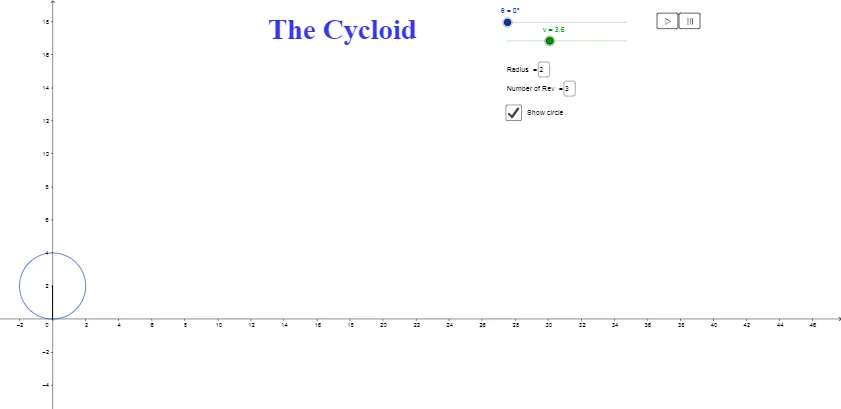
① This GeoGebra example dynamically demonstrates the generation of a cycloid (roulette curve) — the path traced by a point on the rim of a circle as it rolls along a straight line. ② Core mathematical concepts include parametric equations, the geometric definition of the cycloid, rotation and translation transformations, and applications in calculus such as arc length and area under the curve. ③ Construction highlights: Segment and Circle are used to create the rolling circle and baseline; Rotate and Angle control the rotation angle; CurveCartesian inputs the parametric equations x = r(θ - sinθ), y = r(1 - cosθ); Textfield, inputBox, and sliders (a, n, v) adjust radius, number of revolutions, and animation speed; Play/Pause buttons enable dynamic playback. ④ Suitable for high school to undergraduate mathematics education, particularly for analytic geometry, parametric curves, and introductory calculus, as well as physics demonstrations of harmonic motion and wave phenomena.
GeoGebra Commands & Parameters
Segment(A, T) → bCircle(A, T) → cRotate(T, (-θ), A) → BAngle(B, A, T) → αTextfield(r) → inputBox1CurveCartesian((r * (t - sin(t))), (r * (1 - cos(t))), t, 0, θ) → aTextfield(n) → inputBox2Segment(A, B) → d
AI Drawing Prompt Reference
Draw a horizontal baseline with a circle resting on it, tangent at a point. Mark the point of tangency on the circle, which moves as the circle rolls along the line. Connect the circle's center to this point with a segment, showing the radius. Trace the path of the point as a curve, forming a series of arches (a cycloid). Include an angle indicator for the rotation angle. Provide input fields for the circle's radius and number of revolutions, plus sliders for rotation angle and animation speed, with play and pause buttons.
The prompt above was compiled from the original drawing commands and is for reference only.