
Cutting Reflected Cones with a Plane
Loading the math board and drawing, please wait…
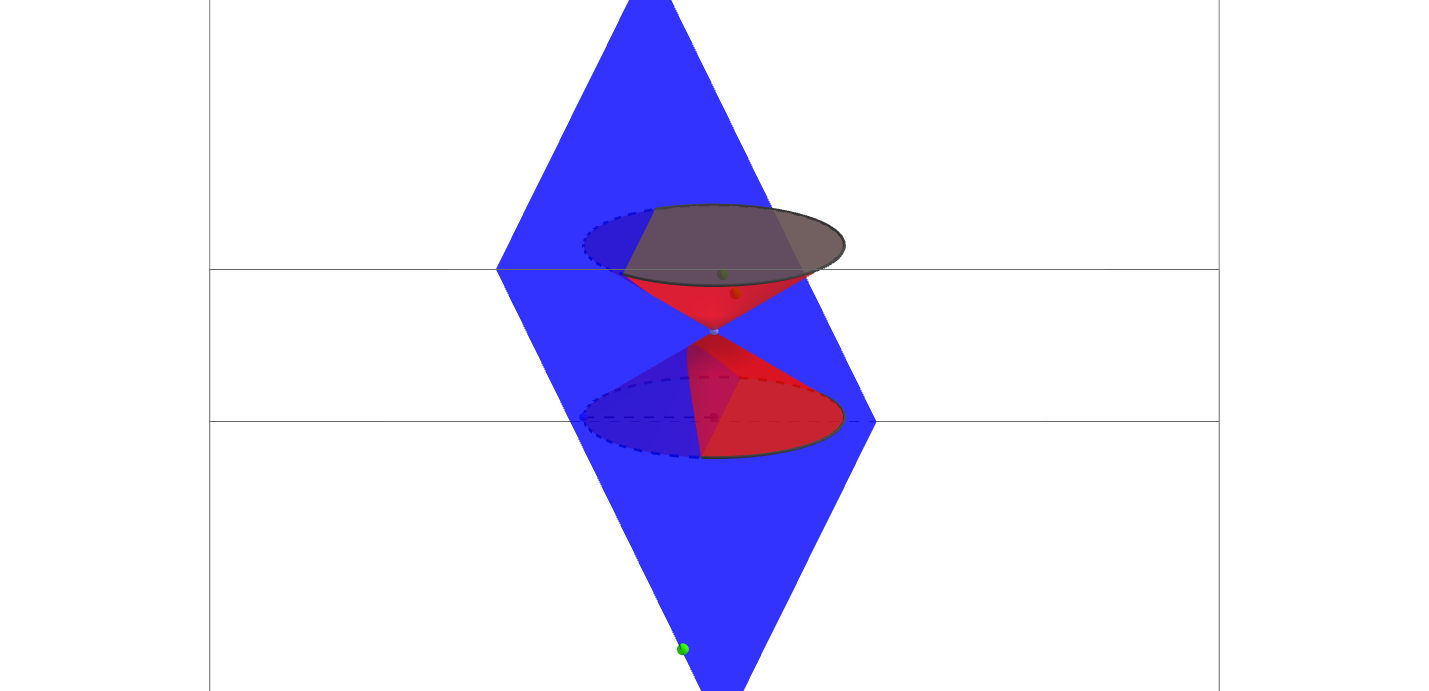
This example demonstrates how to reposition the plane by moving the green points and resize the cone by moving other points. Observing the intersection curve between the plane and the cone provides insight into the geometric properties of the cone. Core mathematical concepts include solid geometry, vector operations, and geometric constructions. GeoGebra commands and objects used are Plane, Intersect, Point, Segment, Cone, and Mirror. Suitable for high school and above students to learn solid geometry, vectors, and geometric constructions, deepening their understanding of cone cross-section shapes.
GeoGebra Commands & Parameters
Plane(J, H, I) → iIntersect(xAxis, yAxis) → BPoint(zAxis) → CPoint(xAxis) → ASegment(B, A) → aCone(B, C, a) → b, c, dPlane(C, xOyPlane) → eMirror(d, e) → d'Mirror(c, e) → c'
AI Drawing Prompt Reference
Draw a 3D solid geometry scene: a cone with its base center at the origin, apex on the vertical axis, and base radius defined by a segment from the origin along the horizontal axis. An inclined plane is determined by three movable green points, intersecting the cone to produce a curve. The mirror image of the cone across the horizontal coordinate plane is shown as dashed or semi-transparent, illustrating symmetry. Include coordinate axes and auxiliary points to observe how the intersection curve changes shape (ellipse, parabola, or hyperbola) as the plane moves. The composition should be clear for studying cross-sections of a cone.
The prompt above was compiled from the original drawing commands and is for reference only.