
Curve Stitching in a Cube
Loading the math board and drawing, please wait…
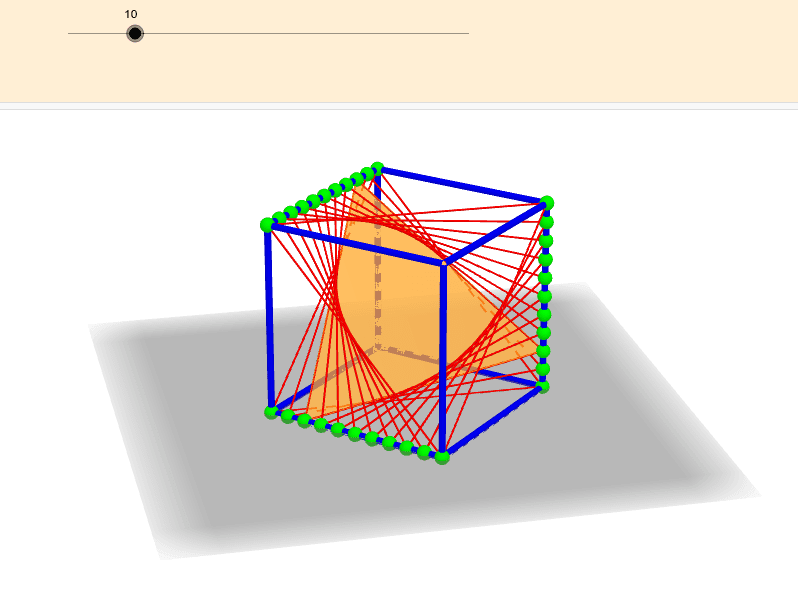
This example demonstrates curve stitching within a cube. Key mathematical concepts include solid geometry and geometric construction. Using GeoGebra commands such as Point, Sequence, Cube, and Polygon, the faces and edges of the cube are constructed. Suitable for middle school and above students or math enthusiasts.
GeoGebra Commands & Parameters
Point(yAxis) → APoint(xAxis) → BPoint(Circle[B, Distance[A, B], Segment[A, B]]) → CSequence(A + (k * (B - A)), k, 0, 1, 1 / s) → edge1Cube(A, B, C) → a, D, faceCDHG, faceEFGH, edgeAD, edgeAB, edgeBC, edgeCD, edgeAE, edgeDH, edgeEH, edgeEF, E, edgeBF, edgeFG, edgeCG, edgeGH, F, G, H, faceABCD, faceADHE, faceABFE, faceBCGFSequence(H + (k * (E - H)), k, 0, 1, 1 / s) → edge2Sequence(C + (k * (G - C)), k, 0, 1, 1 / s) → edge3Sequence(Polygon[Element[edge1, k], Element[edge2, k], Element[edge3, k]], k, 1, 11) → twistPolygon(Element[edge1, h], Element[edge2, h], Element[edge3, h]) → poly1, b, c, dSequence(Segment[Element[edge1, k], Element[edge2, k]], k, 1, s + 1) → string12Sequence(Segment[Element[edge3, k], Element[edge2, k]], k, 1, s + 1) → string23Sequence(Segment[Element[edge1, k], Element[edge3, k]], k, 1, s + 1) → string31
AI Drawing Prompt Reference
Create a curve stitching pattern inside a cube. Construct the faces and edges of the cube first. Then, draw three continuous curves starting from one vertex of the cube, each curve composed of multiple points along the corresponding edges, with points evenly distributed. Finally, connect each segment of these curves to form an interwoven pattern, showcasing the geometric construction within the cube.
The prompt above was compiled from the original drawing commands and is for reference only.