
Curl Animation: 3D Vector Rotation and Trajectory
Loading the math board and drawing, please wait…
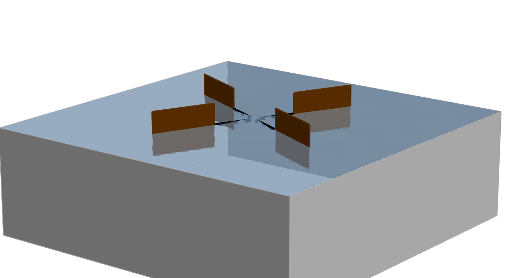
This example demonstrates the spiral curve formed by rotating a 3D vector, involving concepts of vector rotation, angle change, and three-dimensional geometry. Construction uses GeoGebra commands like Rotate, Segment, Vector, Surface, etc. Suitable for high school students or college undergraduates to understand vector rotation and spatial geometry.
GeoGebra Commands & Parameters
Rotate(Polygon[B1, B2, B3, B4], t, zAxis) → Paddle1Rotate(Paddle1, ((1 * 2) * pi / 4), zAxis) → Paddle2Rotate(Paddle1, ((2 * 2) * pi / 4), zAxis) → Paddle3Rotate(Paddle1, ((3 * 2) * pi / 4), zAxis) → Paddle4Segment(Rotate[A1, t, zAxis], Rotate[A2, t, zAxis]) → S1Rotate(S1, ((1 * 2) * pi / 4), zAxis) → S2Rotate(S1, ((2 * 2) * pi / 4), zAxis) → S3Rotate(S1, ((3 * 2) * pi / 4), zAxis) → S4Vector((0, 0, spd)) → kSurface((ra * cos(v)), (ra * sin(v)), u, u, heg, 0, v, 0, (2 * pi)) → cylSurface((u * cos(v)), (u * sin(v)), heg, u, 0, ra, v, 0, (2 * pi)) → bottomSurface(u, v, f(u, v), u, (-ra), ra, v, (-ra), ra) → surfPolygon(C1, C2, C3, C4) → M1, c1, c2, c3, c4Rotate(M1, ((1 * 2) * pi / 4), zAxis) → M2Rotate(M1, ((2 * 2) * pi / 4), zAxis) → M3Rotate(M1, ((3 * 2) * pi / 4), zAxis) → M4Polygon(D1, D2, D3, D4) → N1, d1, d2, d3, d4
AI Drawing Prompt Reference
Create an animation showing the spiral curve formed by rotating a 3D vector, involving multiple rotating vector segments and trajectories, constructed through segmentation and rotation, ultimately presenting the 3D rotation effect of vectors and spatial geometric forms, suitable for understanding vector rotation and solid geometry concepts.
The prompt above was compiled from the original drawing commands and is for reference only.