
Cube Views
Loading the math board and drawing, please wait…
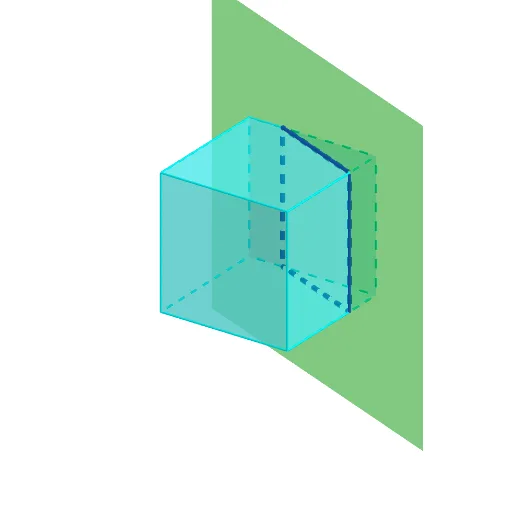
This example demonstrates the perspective changes of a cube. It involves basic concepts of solid geometry such as faces, edges, and vertices. Using GeoGebra commands like Point, Cube, Plane, and IntersectPath, it dynamically shows different views of the cube. Suitable for middle school and above students to learn solid geometry.
GeoGebra Commands & Parameters
Point(Circle[(1, -1, -1), Distance[(-1, -1, -1), (1, -1, -1)], Segment[(-1, -1, -1), (1, -1, -1)]]) → ACube((-1, -1, -1), (1, -1, -1), A) → a, B, faceABFE, faceCDEF, edge2, edge1, edge4, edgeAB, edge3, edgeBF, edgeCF, edgeCD, C, edge5, edgeDE, edgeAE, edgeEF, D, E, F, face1, face3, face2, face4Plane(Rotate[(2, 1, 0), n, Line[(2, 0, 0), (2, 0, 1)]], Line[(2, 0, 0), (2, 0, 1)]) → pIntersectPath(p, a) → poly2, K, L, M, N, j, k, l, m
AI Drawing Prompt Reference
Draw a 3D cube with its base defined by two fixed vertices and a third dynamic point on a circle whose center is the midpoint of the base edge. The cube has six faces, twelve edges, and eight vertices. Then construct a plane that passes through a vertical line and is rotated by an angle around that line. Intersect this plane with the cube to produce a polygonal cross-section on the cube's surface, showing the intersection points and edges. The scene demonstrates how the cross-section changes with the plane's rotation.
The prompt above was compiled from the original drawing commands and is for reference only.