
Cube Model for Marcela UFTM
Loading the math board and drawing, please wait…
In collections
Developing games and puzzles with 3D printing for STEAM
Developing fun games and puzzles with 3D printing for STEAM
From POST-IT to 3D PRINTING: playing with squares and cubes
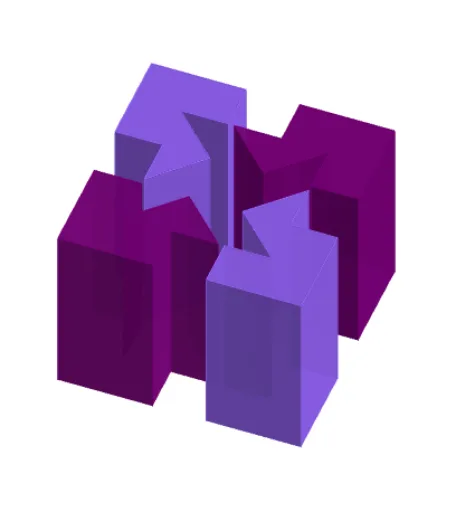
This example demonstrates the construction and visualization of a 3D cube, involving core mathematical concepts like straight lines, probability, centroid, rotation, and planes. It utilizes commands and objects such as Point, Polygon, Segment, Midpoint, Centroid, Circle, Intersect, Vector, Translate, and Prism in GeoGebra. Suitable for university-level foundational mathematics courses or solid geometry instruction.
GeoGebra Commands & Parameters
Point(yAxis) → APoint(xAxis) → BPolygon(A, B, 4) → poly1, f, g, h, i, C, DPolygon(E, F, 4) → poly2, j, k, l, m, G, HSegment(H, F) → nSegment(E, G) → pMidpoint(i) → IMidpoint(m) → JMidpoint(l) → KMidpoint(k) → LMidpoint(j) → MMidpoint(n) → NMidpoint(h) → OMidpoint(g) → PCentroid(poly1) → QCentroid(poly1) → RMidpoint(f) → SPolygon(D, I, J, E, N, H, K, O) → poly3, d, i_1, j_1, e, n_1, h_1, k_1, oPolygon(O, K, H, N, G, L, P, C) → poly4, o_1, k_2, h_2, n_2, g_1, l_1, p_1, cPolygon(L, G, N, F, M, S, B, P) → poly5, l_2, g_2, n_3, f_1, m_1, s, b, p_2Polygon(I, A, S, M, F, N, E, J) → poly6, i_2, a, s_1, m_2, f_2, n_4, e_1, j_2Circle(N, r) → qIntersect(q, h_2) → T,Intersect(q, g_2) → U,Vector(N, T) → uVector(N, U) → vTranslate(O, v) → O'Translate(K, v) → K'Translate(H, v) → H'Translate(N, v) → N'Translate(G, v) → G'Translate(L, v) → L'Translate(P, v) → P'Translate(C, v) → C'Polygon(O', K', H', N', G', L', P', C') → poly4', o', k', h', n', g', l', p', c'Translate(D, u) → D'Translate(I, u) → I'Translate(J, u) → J'Translate(E, u) → E'Translate(N, u) → N'_1Translate(H, u) → H'_1Translate(K, u) → K'_1Translate(O, u) → O'_1Polygon(D', I', J', E', N'_1, H'_1, K'_1, O'_1) → poly3', d', i', j', e', n'_1, h'_1, k'_1, o'_1Translate(I, Vector[(-v)]) → I'_1Translate(A, Vector[(-v)]) → A'Translate(S, Vector[(-v)]) → S'Translate(M, Vector[(-v)]) → M'Translate(F, Vector[(-v)]) → F'Translate(N, Vector[(-v)]) → N'_2Translate(E, Vector[(-v)]) → E'_1Translate(J, Vector[(-v)]) → J'_1Polygon(I'_1, A', S', M', F', N'_2, E'_1, J'_1) → poly6', i'_1, a', s', m', f', n'_2, e'_1, j'_1Translate(L, Vector[(-u)]) → L'_1Translate(G, Vector[(-u)]) → G'_1Translate(N, Vector[(-u)]) → N'_3Translate(F, Vector[(-u)]) → F'_1Translate(M, Vector[(-u)]) → M'_1Translate(S, Vector[(-u)]) → S'_1Translate(B, Vector[(-u)]) → B'Translate(P, Vector[(-u)]) → P'_1Polygon(L'_1, G'_1, N'_3, F'_1, M'_1, S'_1, B', P'_1) → poly5', l'_1, g'_1, n'_3, f'_1, m'_1, s'_1, b', p'_1Prism(poly3', a_1) → b_1, F_1, face10, face11, face12, face13, face14, face15, face9, face16, edge12, edge13, G_1, edge14, edge15, edge16, edge17, edge18, edge19, edge20, edge22, edge23, edge24, H_1, edge25, edge26, edge27, edge21, I_1, J_1, K_1, L_1, M_1, face8Prism(poly4', q_1) → r_1, V_1, face28, face29, face30, face31, face32, face33, face27, face34, edge28, edge45, W_1, edge46, edge47, edge48, edge49, edge50, edge51, edge52, edge54, edge55, edge56, Z_1, edge57, edge58, edge59, edge53, A_2, B_2, C_2, D_2, E_2, face17Prism(poly6', d_1) → t_1, N_1, face21, face22, face23, face24, face25, face26, face20, face35, edge30, edge31, O_1, edge32, edge33, edge34, edge35, edge36, edge37, edge38, edge40, edge41, edge42, P_1, edge43, edge44, edge60, edge39, Q_1, R_1, S_1, T_1, U_1, face19Prism(poly5', u_1) → v_1, F_2, face39, face40, face41, face42, face43, face44, face38, face45, edge63, edge64, G_2, edge65, edge66, edge67, edge68, edge69, edge70, edge71, edge73, edge74, edge75, H_2, edge76, edge77, edge78, edge72, I_2, J_2, K_2, L_2, M_2, face37
AI Drawing Prompt Reference
Draw a cube model with six faces, twelve edges, and eight vertices. Start by taking points on the x-axis and y-axis, then construct two squares using these points. Next, use midpoints and centroids to create the other faces. Finally, apply translation and rotation operations to generate the six faces of the cube.
The prompt above was compiled from the original drawing commands and is for reference only.