
Cross Sections of a Prism
Loading the math board and drawing, please wait…
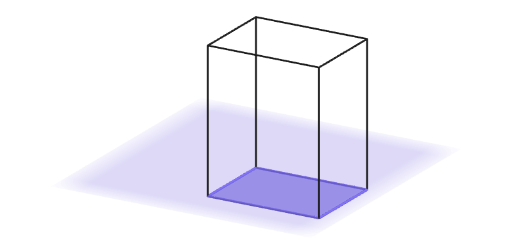
This example demonstrates how to create different cross-sectional shapes by slicing a rectangular prism with a plane. The key mathematical concepts involve solid geometry and the properties of cross-sections. Construction uses GeoGebra commands such as Point, Prism, Plane, and Polygon to model the prism and slicing plane. It is suitable for middle school mathematics education, particularly for grades 6-8, to help students understand three-dimensional figures.
GeoGebra Commands & Parameters
Point(yAxis) → DPrism(Polygon[A, B, C, D], V) → a, F, edgeBF, edgeCG, edgeDH, edgeEF, edgeFG, edgeGH, edgeEH, G, H, faceABFE, faceBCGF, faceCDHG, faceADHE, faceEFGH, edgeAEPoint(a) → P1Point(a) → P2Point(a) → P3Plane(P2, P1, P3) → pFreeSelectedIndex(ddMenu) → isPolygon(A, B, C, D) → base, a_1, b, c, dIf(is ≟ 1, IntersectPath[pBase, a], is ≟ 2 ∧ -3 ≤ vSli < 0, IntersectPath[pPar1, a], is ≟ 2 ∧ 0 ≤ vSli ≤ 4, IntersectPath[pPar2, a], is ≟ 3, IntersectPath[pFree, a]) → cutCorner(5) → ASZ
AI Drawing Prompt Reference
Draw a rectangular prism and cut it with a plane to create different cross-sectional shapes. First, create the base of the prism, then add three points to define the plane. Draw the plane and select the type of section. Depending on the selection, the section can be the base, a plane parallel to the base, or a freely defined plane. Finally, show the intersection of the section with the prism.
The prompt above was compiled from the original drawing commands and is for reference only.