
Creating Cross Sections of a Cylinder
Loading the math board and drawing, please wait…
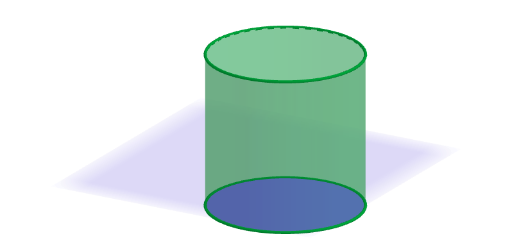
Demonstrate how to create various types of cross sections by slicing a cylinder with a plane. Core math concepts include describing cross-sectional views of three-dimensional figures. Constructed using GeoGebra commands like Cylinder, Plane, and IntersectPath, suitable for middle school students (grades 6-8) learning solid geometry.
GeoGebra Commands & Parameters
Cylinder(eq2, 5) → cil, c, aPointIn(a) → BPointIn(a) → CSelectedIndex(ddMenu) → isPointIn(a) → APlane(A, B, C) → pExploreIntersectPath(pBase, cil) → sezOrIntersectPath(If[pSli < 0, pPar1, pPar2], cil) → sezOrthIntersectPath(pExplore, cil) → sezExpl
AI Drawing Prompt Reference
Draw a cylinder with a circular base and a height of 5 units. Randomly select three points on the base circle, and use these points to define an inclined plane that slices through the cylinder. The intersection of this plane with the cylinder produces a slanted cross-section curve. Additionally, create a plane parallel to the base that intersects the cylinder, yielding a circular cross-section. Display both cross-sections on the cylinder to compare the tilted elliptical slice with the horizontal circular slice.
The prompt above was compiled from the original drawing commands and is for reference only.