
Create Symmetrical Figures
Loading the math board and drawing, please wait…
In collections
P6 6S1 Symmetry (English Version)
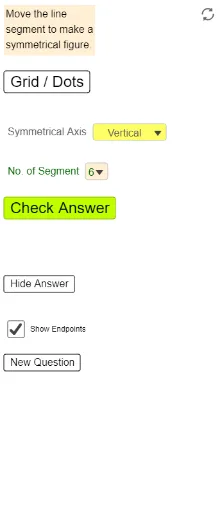
This example demonstrates how to create symmetrical figures using GeoGebra. The key mathematical concept is symmetry transformation. Using commands like IndexOf, Element, Mirror, Segment, Defined, Sequence, If, a series of symmetrical figures can be constructed. Suitable for high-grade elementary to junior high school students learning geometric transformations.
GeoGebra Commands & Parameters
IndexOf(SelectedElement[ListSymA], ListSymA) → NumSymAElement({SymA1, SymA2, SymA3, SymA4}, NumSymA) → SymAMirror(Blue01a, SymA) → Blue01aRMirror(Blue01b, SymA) → Blue01bRSegment(Blue01aR, Blue01bR) → RefBlue1Segment(Blue01a, Blue01b) → Blue1Defined(IndexOf[RefBlue1, List1]) → Match1Mirror(Blue02a, SymA) → Blue02aRMirror(Blue02b, SymA) → Blue02bRSegment(Blue02aR, Blue02bR) → RefBlue2Segment(Blue02a, Blue02b) → Blue2Mirror(Blue03a, SymA) → Blue03aRMirror(Blue03b, SymA) → Blue03bRSegment(Blue03aR, Blue03bR) → RefBlue3Segment(Blue03a, Blue03b) → Blue3Mirror(Blue04a, SymA) → Blue04aRMirror(Blue04b, SymA) → Blue04bRSegment(Blue04aR, Blue04bR) → RefBlue4Segment(Blue04a, Blue04b) → Blue4Mirror(Blue05a, SymA) → Blue05aRMirror(Blue05b, SymA) → Blue05bRSegment(Blue05aR, Blue05bR) → RefBlue5Segment(Blue05a, Blue05b) → Blue5Mirror(Blue06a, SymA) → Blue06aRMirror(Blue06b, SymA) → Blue06bRSegment(Blue06aR, Blue06bR) → RefBlue6Segment(Blue06a, Blue06b) → Blue6Mirror(Blue07a, SymA) → Blue07aRMirror(Blue07b, SymA) → Blue07bRSegment(Blue07aR, Blue07bR) → RefBlue7Segment(Blue07a, Blue07b) → Blue7Mirror(Blue08a, SymA) → Blue08aRMirror(Blue08b, SymA) → Blue08bRSegment(Blue08aR, Blue08bR) → RefBlue8Segment(Blue08a, Blue08b) → Blue8IndexOf(SelectedElement[ListNumSeg], ListNumSeg) → NumSegMirror(Blue09a, SymA) → Blue09aRMirror(Blue09b, SymA) → Blue09bRSegment(Blue09aR, Blue09bR) → RefBlue9Segment(Blue09a, Blue09b) → Blue9Mirror(Blue10a, SymA) → Blue10aRMirror(Blue10b, SymA) → Blue10bRSegment(Blue10aR, Blue10bR) → RefBlue10Segment(Blue10a, Blue10b) → Blue10Mirror(Blue11a, SymA) → Blue11aRMirror(Blue11b, SymA) → Blue11bRSegment(Blue11aR, Blue11bR) → RefBlue11Segment(Blue11a, Blue11b) → Blue11Mirror(Blue12a, SymA) → Blue12aRMirror(Blue12b, SymA) → Blue12bRSegment(Blue12aR, Blue12bR) → RefBlue12Segment(Blue12a, Blue12b) → Blue12Sequence(Sequence[(s, t), s, -14, 12], t, -8, 8) → ListDotsIf(NumSeg ≟ 1, Match1, NumSeg ≟ 6, Match6, NumSeg ≟ 7, Match7, NumSeg ≟ 8, Match8, NumSeg ≟ 9, Match9, NumSeg ≟ 10, Match10, NumSeg ≟ 2, NumSeg ≟ 11, Match11, Match12, Match2, NumSeg ≟ 3, Match3, NumSeg ≟ 4, Match4, NumSeg ≟ 5, Match5) → Match
AI Drawing Prompt Reference
Draw a symmetrical figure by selecting a set of points, then performing a symmetry transformation on each point to get corresponding symmetric points. Connect the symmetric points to form segments, and draw another set of segments using the original points. Finally, link the symmetric segments with the original segments to create a series of symmetrical figures, demonstrating the geometric construction of symmetry transformations.
The prompt above was compiled from the original drawing commands and is for reference only.