
Create a Triangle with Given Area by Tim Brzezinski
Loading the math board and drawing, please wait…
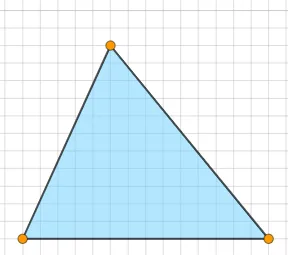
This example demonstrates how to construct a triangle with a given area. Key math concepts include triangle area formulas, coordinate geometry, and geometric construction. GeoGebra commands and objects used are Polygon, Segment, Sequence, Random, If, RandomElement, InteriorAngles to generate vertices and adjust sides to meet the area requirement. Suitable for high school mathematics teaching to understand the relationship between triangle area and side lengths, and geometric construction techniques.
GeoGebra Commands & Parameters
Polygon(A, B, C) → t1, c, a, bSegment(A, B) → fSegment(B, C) → gSegment(C, A) → hSequence((2 * i), i, 5, 25, 1) → l1Random(1, 5) → nIf(1 ≤ n ≤ 2, "acute", 3 ≤ n ≤ 4, "obtuse", "right") → text1RandomElement(l1) → dIf(1 ≤ n ≤ 4, "an", "a") → text2InteriorAngles(t1) → α, β, γIf(c2, (("Triangle is " * text1) * "."), (("Triangle is not " * text1) * ".")) → text4If(t1 ≟ d, ("Area = " * d), ("Area ≠ " * d)) → text5
AI Drawing Prompt Reference
Draw a triangle with a specified area. First, randomly select a side length, then construct the triangle based on this length and a randomly chosen angle (acute, obtuse, or right). Use the triangle area formula to check if the triangle's area meets the requirement.
The prompt above was compiled from the original drawing commands and is for reference only.