
Cosine Rule Demonstration by loreang98
Loading the math board and drawing, please wait…
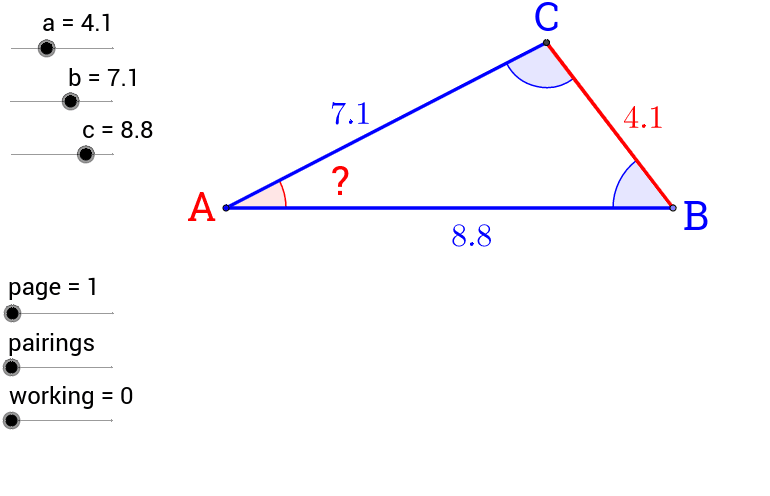
This example demonstrates the application of the cosine rule in any triangle, dynamically showing the relationship between side lengths and angles. It involves core mathematical concepts such as the cosine rule, triangle geometry, and vector operations. The construction uses GeoGebra commands and objects like Point, Circle, Intersect, Angle, Segment, Midpoint, If, and Vector to build the triangle and calculate related angles and vectors. It is suitable for high school mathematics teaching and students' understanding of the integration of trigonometric functions and geometric constructions.
GeoGebra Commands & Parameters
Point(Circle[R, c]) → QCircle(Q, a) → d_1Circle(R, b) → c_1Intersect(c_1, d_1) → P, B_1, ,Angle(P, Q, R) → δAngle(Q, R, P) → α_1Segment(P, R) → b_2Segment(R, Q) → c_2Segment(Q, P) → a_2Midpoint(a_2) → A'Midpoint(c_2) → C'Midpoint(b_2) → B'Midpoint(C', A') → DMidpoint(C', Q) → EMidpoint(A', Q) → FMidpoint(F, E) → GMidpoint(R, B') → HMidpoint(C', R) → IMidpoint(I, H) → JMidpoint(B', P) → KMidpoint(A', P) → LMidpoint(B', A') → MMidpoint(K, L) → NMidpoint(N, M) → OIf(CosA < 0, "-", "") → signCosAIf(CosB < 0, "-", "") → signCosBSegment(R, Q) → a_1Segment(R, P) → b_1Segment(P, Q) → e_1Angle(R, P, Q) → εVector(R, A') → uVector(P, C') → wVector(Q, B') → v
AI Drawing Prompt Reference
Draw a triangle to demonstrate the cosine rule, showing the relationship between side lengths and angles dynamically. Start by drawing three circles with the triangle's vertices as centers and corresponding side lengths as radii, then find the intersection points to determine the triangle's vertices. Calculate the three interior angles and draw the sides of the triangle. Next, mark the midpoints of each side and draw lines connecting these midpoints to form a parallelogram. Find the midpoints of the diagonals of this parallelogram. Finally, add plus or minus signs based on the cosine values and draw vectors related to the triangle's vertices to illustrate the integration of vector operations and geometric constructions.
The prompt above was compiled from the original drawing commands and is for reference only.