
Convex vs. Concave Demonstration
Loading the math board and drawing, please wait…
In collections
Unit 7: Polygons and Quadrilaterals
Polygons & Angles
Polygons & Angles
Polygons & Angles ( s n attar)
Parallel Lines and Planes
Polygons & Angles
Polygons & Angles
Polygons & Angles
Polygons & Angles
Polygons & Angles
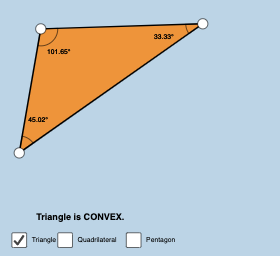
This example dynamically demonstrates convex and concave polygons with color coding for clear distinction. It involves core math concepts like polygon properties, angle measurement, and dynamic geometry. Constructed using Polygon, Segment, and Angle commands, it's suitable for high school mathematics teaching to understand convexity/concavity definitions and geometric properties.
GeoGebra Commands & Parameters
Polygon(A, B, C) → poly1, c, a, bPolygon(C, B, F, A) → poly2, c_1, b_1, f_1, a_1Segment(C, B) → gSegment(B, F) → hSegment(F, A) → iSegment(A, C) → jAngle(C, B, F) → αAngle(B, F, A) → βAngle(F, A, C) → γAngle(A, C, B) → δPolygon(C, B, I, J, A) → poly3, c_2, b_2, i_1, j_1, a_2Angle(C, B, I) → εAngle(B, I, J) → ζAngle(I, J, A) → ηAngle(J, A, C) → θSegment(C, B) → lSegment(B, I) → mSegment(I, J) → nSegment(J, A) → pSegment(A, C) → qSegment(C, B) → sSegment(B, A) → tSegment(A, C) → g_1Angle(C, B, A) → ιAngle(B, A, C) → κAngle(A, C, B) → λ