
Constructing the 7th Set of Nets via Rotations on the Unit Circle
Loading the math board and drawing, please wait…
In collections
How many nets of a cuboid are there?
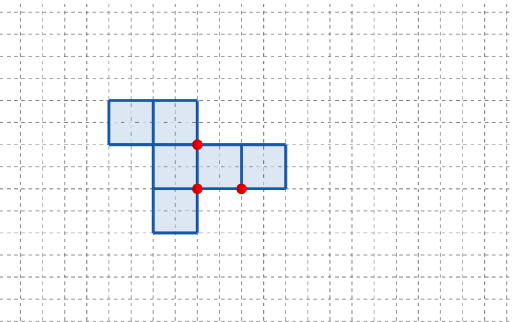
This GeoGebra example demonstrates how the 7th “set of nets” can be constructed visually by placing points and polygons around a circle (with a unit-circle perspective) and then generating the full configuration through repeated rotation. It emphasizes key ideas such as geometric mean reasoning, the relationship between averages/central tendency concepts (Means, Mode), and angle-based placement on the unit circle, producing a sector/pie-chart-like arrangement. Construction relies on GeoGebra commands Point, Polygon, and Rotate: points (e.g., A, B, C, q1–q6) are created, connected into polygonal structures, and then rotated to obtain corresponding points (q2'–q6', q3', etc.). Interactive controls (button1, button2) and annotations (text1) help switch between steps or configurations, highlighting the symmetry and periodic structure. Suitable for high school enrichment through early undergraduate geometry and transformation-based visualization.
GeoGebra Commands & Parameters
Point(Ray[(1, 0), (3, 0)]) → APoint(Ray[A + (1, 0), A + (2, 0)]) → CPoint(Ray[A + (0, 1), A + (0, 2)]) → BPolygon({(0, 0), A, B, (0, y(B))}) → q1Polygon({A, C, (x(C), y(B)), B}) → q2Polygon({(0, 0), A, A - (0, h), (0, (-h))}) → q3Polygon({B, B + (0, h), B + ((-l), h), B + ((-l), 0)}) → q4Polygon({C, C + (l, 0), C + (l, w), C + (0, w)}) → q5Polygon({(0, w), (0, w + h), ((-w), w + h), ((-w), w)}) → q6Rotate(q4, (90° * t), Line[(0, w), B]) → q4'Rotate(q3, (90° * t), Line[A, (0, 0)]) → q3'Rotate(q2, (90° * t), Line[B, A]) → q2'Rotate(Rotate[q5, (90° * t), Line[C + (0, w), C]], (90° * t), Line[B, A]) → q5'Rotate(Rotate[q6, (90° * t), Line[(0, w), (0, w + h)]], (90° * t), Line[(0, w), B]) → q6'
AI Drawing Prompt Reference
Construct a 7-set net based on a unit circle. Start by placing points A, B, and C on the circle, then create polygons q1, q2, q3, q4, q5, and q6. Rotate these polygons 90 degrees to generate q1', q2', q3', q4', q5', and q6', showcasing rotational symmetry and periodic structure.
The prompt above was compiled from the original drawing commands and is for reference only.