
Constructing Rings
Loading the math board and drawing, please wait…
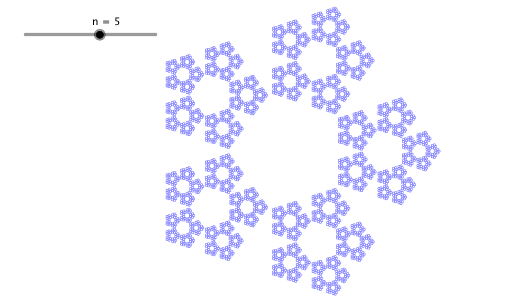
This example demonstrates how to construct different-sized rings using GeoGebra. Key mathematical concepts include the properties of circles and sequences. The Circle and Sequence commands are used to dynamically change the size and quantity of the rings. Suitable for high school mathematics education, particularly in coordinate geometry and function graphing.
GeoGebra Commands & Parameters
Circle((0, 0), 1) → r1Sequence(Rotate[Dilate[r1, f(a), (1, 0)], (k * a), (0, 0)], k, 0, n - 1) → r2Sequence(Rotate[Dilate[r2, f(a), (1, 0)], (k * a), (0, 0)], k, 0, n - 1) → r3Sequence(Rotate[Dilate[r3, f(a), (1, 0)], (k * a), (0, 0)], k, 0, n - 1) → r4Sequence(Rotate[Dilate[r4, f(a), (1, 0)], (k * a), (0, 0)], k, 0, n - 1) → r5Sequence(Rotate[Dilate[r5, f(a), (1, 0)], (k * a), (0, 0)], k, 0, n - 1) → r6
AI Drawing Prompt Reference
Draw a ring pattern composed of multiple concentric circles, where the size and quantity of the circles can be dynamically adjusted by a parameter. Start by drawing a circle with a radius of 1, then create a series of progressively larger circles by rotating and scaling this initial circle, each subsequent circle rotated by a certain angle and scaled by the same factor relative to the previous one, forming a ring-like structure. Show the dynamic changes of these circles to illustrate the properties of circles and sequences.
The prompt above was compiled from the original drawing commands and is for reference only.