
Constructing a Triangle with a Side and Two Angles
Loading the math board and drawing, please wait…
In collections
Euclidean Geometry
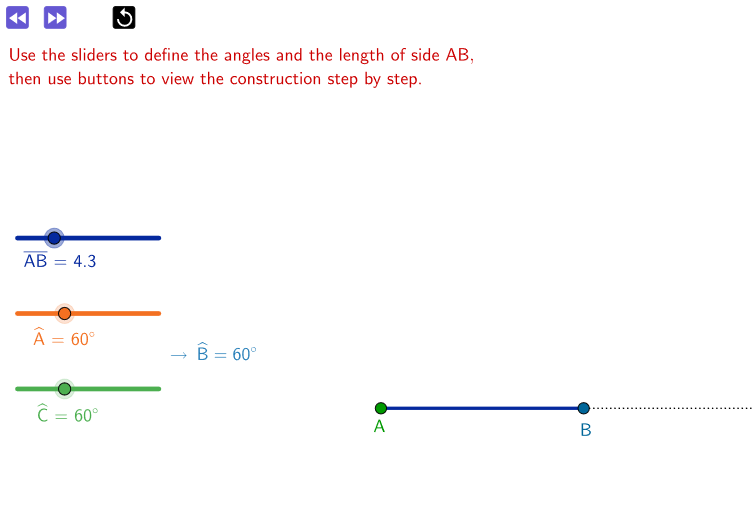
This example demonstrates how to construct a triangle given one side and two angles. It involves core mathematical concepts such as angle measurement, geometric constructions, triangle similarity, and the application of trigonometric functions. The construction uses GeoGebra commands and objects like points, rays, segments, rotations, angles, lines, intersections, and polygons. It is suitable for high school mathematics education, helping students understand triangle construction methods and geometric drawing techniques.
GeoGebra Commands & Parameters
Point(Circle[A, base]) → BRay(A, B) → jSegment(A, B) → fRotate(B, CAB, A) → B'_1Angle(B, A, B'_1) → αRay(A, B'_1) → gPoint(g) → C'Rotate(A, BCA, C') → A'Angle(A, C', A') → βRay(C', A') → hLine(B, h) → iIntersect(i, g) → CAngle(A, C, B) → γIntersect(h, j) → B'Angle(C', B', A) → δAngle(C, B, A) → εPolygon(A, B, C) → poli1, c, a, b
AI Drawing Prompt Reference
Draw a horizontal segment as one side of a triangle. Use its left endpoint as the center of a circle with radius equal to the segment length, and pick a point on the circle as the other endpoint of that side. From this endpoint, draw a ray, then rotate this ray around the left endpoint by a given angle to form the second side's ray. Pick an arbitrary point on this second ray, and rotate the left endpoint around that point by another given angle to get the third side's ray. Let this ray intersect the second ray; the intersection is the third vertex. Finally, connect the three vertices to form the triangle and mark its three interior angles.
The prompt above was compiled from the original drawing commands and is for reference only.