
Constant Angle Construction
Loading the math board and drawing, please wait…
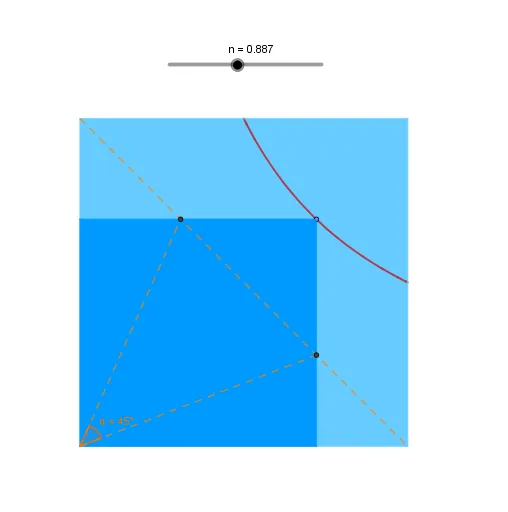
This example demonstrates how to construct a geometric figure where two segments maintain a constant angle between them. Core math concepts include angles, geometric constructions, coordinate geometry, and rectangles. Construction highlights involve commands like Polygon, OrthogonalLine, Intersect, Segment, and Angle in GeoGebra. Suitable for high school and above students to explore angle constancy in geometry.
GeoGebra Commands & Parameters
Polygon(A, B, C, D) → c1, a, b, c, dOrthogonalLine(E, d) → hOrthogonalLine(E, a) → iIntersect(h, d) → FIntersect(i, a) → GPolygon(A, G, E, F) → c2, a_1, g_1, e, f_1Segment(D, B) → jIntersect(j, c2) → H, ISegment(J, H) → kSegment(J, I) → lAngle(I, J, H) → α
AI Drawing Prompt Reference
Draw a quadrilateral, create perpendicular lines from one vertex to two sides, connect the intersections to form another quadrilateral, then join the intersection points of the diagonals and measure the angle between the segments to illustrate the constant angle between them.
The prompt above was compiled from the original drawing commands and is for reference only.