
Conic Sections Generation: Rotating Plane Cutting Cone
Loading the math board and drawing, please wait…
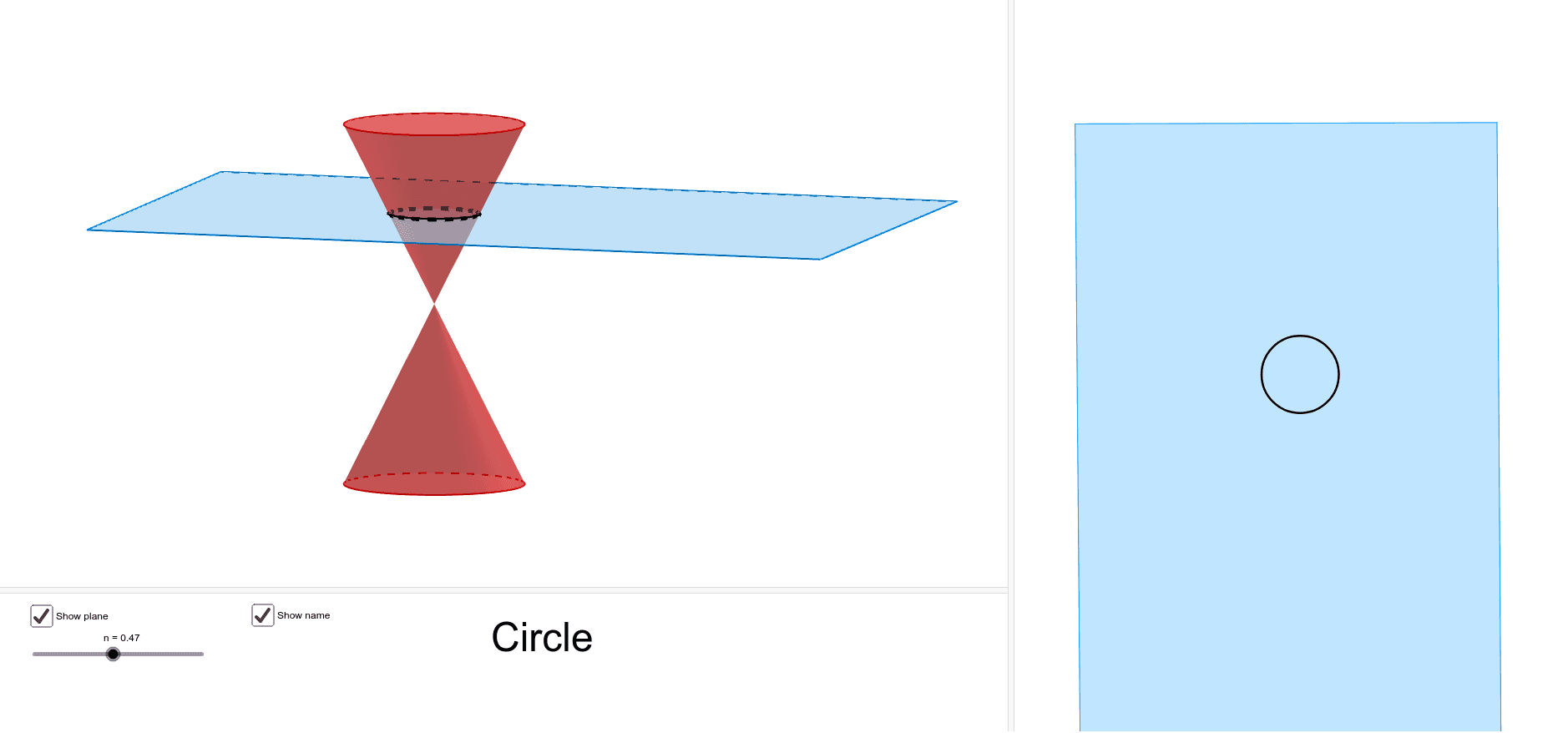
This example demonstrates the generation of conic sections by rotating a plane to intersect a cone. It covers core concepts like ellipse, hyperbola, and parabola. Construction uses GeoGebra commands such as Cone, Plane, Rotate, and Intersect to build the 3D model and dynamic intersection curves. Suitable for high school or college math education to visualize conic section origins.
GeoGebra Commands & Parameters
Point(zAxis) → AIntersect(xAxis, yAxis) → BCone(A, B, 2) → a, c, bPoint(zAxis) → CCone(C, B, 2) → d, e, fPoint(zAxis) → DPlane(H, G, F) → gSegment(F, G) → iRotate(g, (n * π), i) → g'IntersectPath(g', d) → hCorner(h) → I, JIntersectPath(g', a) → kCorner(k) → K, LPointIn(g') → MPointIn(g') → NPointIn(g') → OPointIn(g') → PPolygon(M, P, O, N) → poly1, m, p, o, n_1
AI Drawing Prompt Reference
Draw a parabola generated by cutting a cone with a plane. Show the cone, the plane, and the resulting curve. Keep the drawing simple and clear to illustrate the geometric relationship.
The prompt above was compiled from the original drawing commands and is for reference only.