
Conic Exercise: Angle and Intersection Constructions for Geometric Insights
Loading the math board and drawing, please wait…
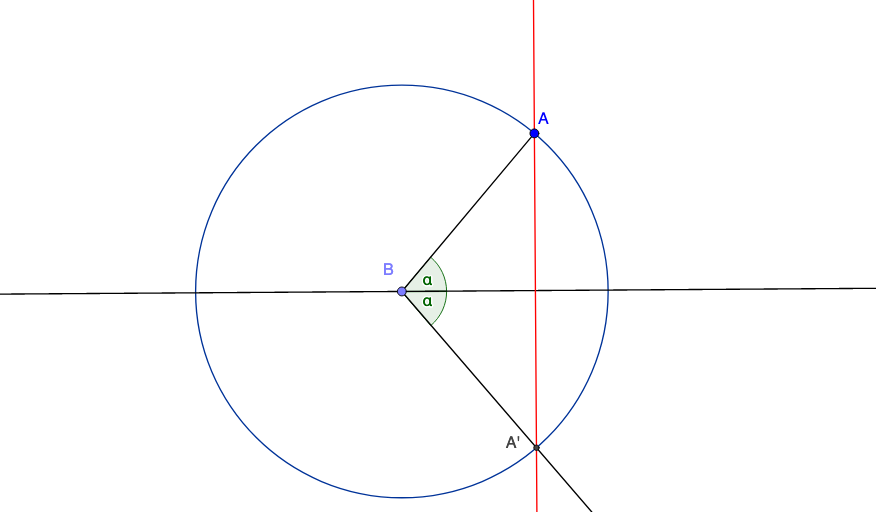
This GeoGebra example demonstrates how to build a conic-related geometric configuration by constructing lines and circles, then using their intersections to define key points and relations. By measuring an angle and allowing it to move (clockwise), the dynamic update reveals how geometric quantities and constraints change together, supporting intuition about regularity/continuity and the exercise’s intended area-related or function-based relationships. The main concepts are conic geometry (e.g., ellipse-type relationships), angle measurement and controlled rotation, intersection-based point construction, and the appearance of function/expressions (including exponent-type components) as part of the exercise’s setup. Construction highlights: it uses Line, Point, Segment to establish the scaffolding; Circle to generate the circular components; Intersect to compute intersection points that drive the rest of the construction; and Angle together with AngleMoverCW to define and interactively adjust the angle that controls dependent objects. Suitable for high-school geometry with dynamic geometry tools, and for advanced practice where students connect constructions, conics, and function/continuity intuition through interactive graphing.
GeoGebra Commands & Parameters
Line(A_1, B_1) → fPoint(f) → BSegment(A, B) → gPoint(f) → CAngle(C, B, A) → αAngleMoverCW(A, B, C, B, C) → i, i_2Point(i) → DAngle(D, B, C) → βCircle(B, Segment[B, A]) → cIntersect(c, i, 1) → A'Line(A, A') → h
AI Drawing Prompt Reference
Draw a geometric figure composed of lines and circles. Start with two intersecting lines at a point, then draw a line segment from that point. Measure an angle and allow it to rotate dynamically to adjust points. A circle intersects with the rotated line segment to generate new points. Finally, connect the starting point and the intersection point to form a line. This figure illustrates the interaction between angles, circles, and lines, suitable for understanding geometric relationships and function changes.
The prompt above was compiled from the original drawing commands and is for reference only.