
Cone Surface Area Calculation by ca.conwill
Loading the math board and drawing, please wait…
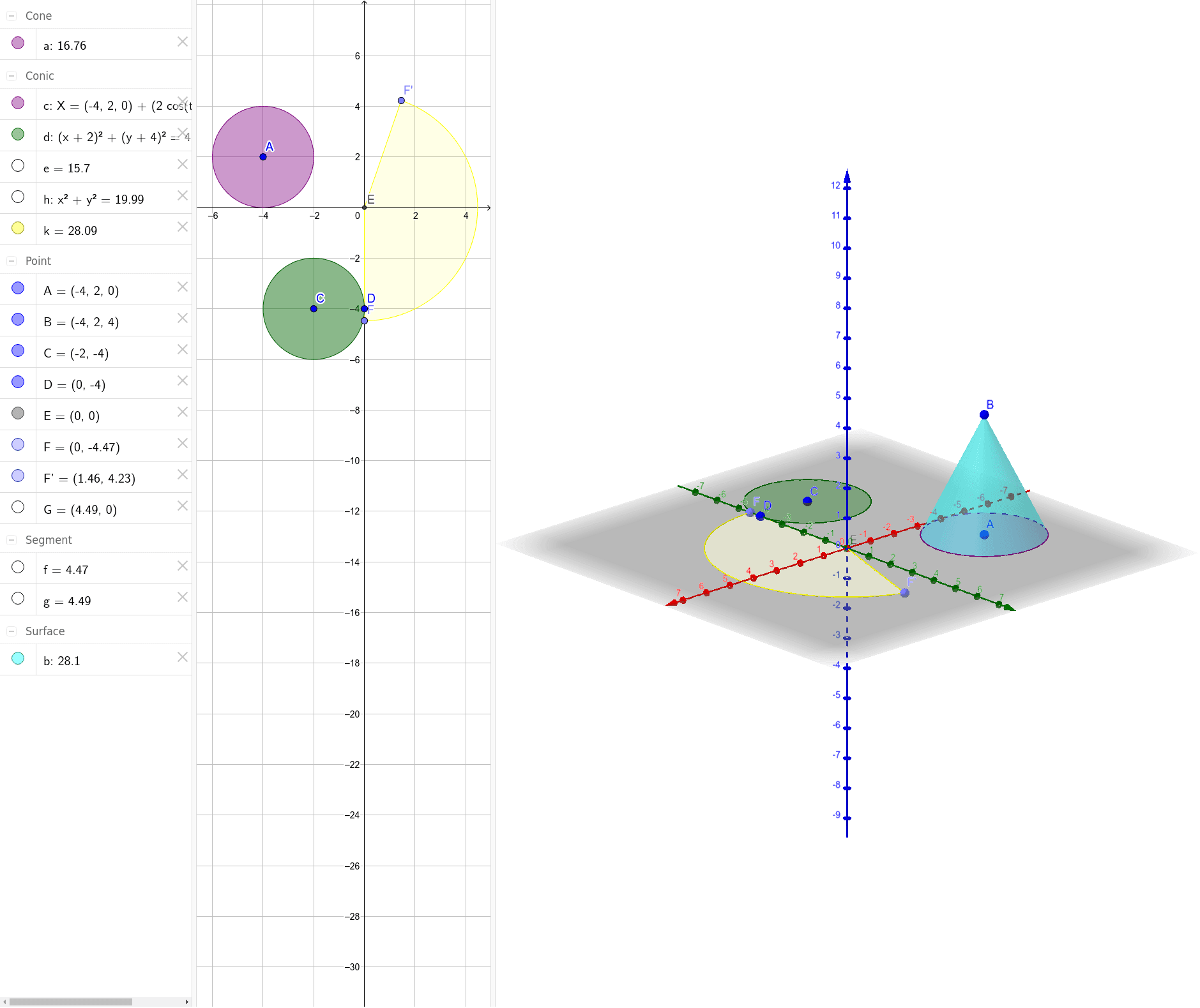
This example demonstrates how to dynamically construct a cone and calculate its surface area using GeoGebra. It involves core mathematical concepts such as cone geometry, surface area formulas, and analytical geometry. Key GeoGebra commands used include Cone, Intersect, Point, Segment, CircleSector, Circle, and Rotate. Suitable for high school mathematics education to understand cone surface area calculation methods and 3D geometric constructions.
GeoGebra Commands & Parameters
Cone(A, B, 2) → a, c, bIntersect(xAxis, yAxis) → EPoint(yAxis) → FSegment(E, F) → fPoint(xAxis) → GSegment(E, G) → gCircleSector(E, F, G) → eCircle(E, F) → hRotate(F, 161°, E) → F'CircleSector(E, F, F') → kCircle(C, D) → d
AI Drawing Prompt Reference
Draw a 3D cone with its base center at the origin and apex on the vertical axis, with base radius 2. In the base plane, draw two segments from the origin along the x-axis and y-axis, and create a circular sector between their endpoints to represent part of the base circle. Rotate the y-axis endpoint around the origin by 161 degrees to get a new point, then draw another sector from the origin to that new point to represent part of the cone's lateral surface. Finally, draw a full circle on the base and label it. Show the cone's solid structure and the geometric relationships of its surface development.
The prompt above was compiled from the original drawing commands and is for reference only.