
Cone Construction
Loading the math board and drawing, please wait…
In collections
P1 P2 立體圖形 / 3D Shapes
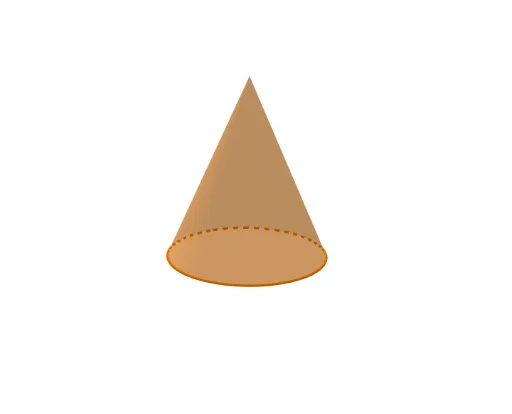
This example demonstrates the construction of a cone. Key mathematical concepts include solid geometry, straight lines, and rotation. Using GeoGebra commands such as Line, Circle, and Rotate, the process of generating a cone is dynamically illustrated. Suitable for high school geometry education or self-study.
GeoGebra Commands & Parameters
Line((0, 1, 0), (0, 0, 0)) → RotateAxisIf(ShowChi, "立體高度", "Height") → TextSlider1If(ShowChi, "立體位置(高低)", "Vertical Position") → TextSlider3If(ShowChi, "立體位置(橫向)", "Horizontal Position") → TextSlider4If(ShowChi, "透明度", "Transparency") → TextSlider6If(ShowChi, "旋轉立體", "Rotate the shape") → TextSlider5Circle(ShapePt1, (S2 * S7), xOyPlane) → ShapeBaseRotate(ShapeBase, S5, ShapePt1, RotateAxis) → ShapeBaseRIf(ShowChi, "底面大小", "Base Size") → TextSlider7If(ShowChi, "立體大小", "Solid Size") → TextSlider2If(ShowChi, "圓錐", "Cone") → TextName1Cone(ShapeBaseR, (S1 * S2)) → Shape, c, a
AI Drawing Prompt Reference
Draw a 3D cone with a circular base lying on a horizontal plane. The cone's axis is a vertical line from the center of the base upward. The height, base radius, and overall size of the cone are adjustable, and the cone can rotate around its axis with adjustable transparency. The cone's position can be shifted horizontally and vertically. Include a slider panel to control these parameters, with labels in either Chinese or English, such as 'Base Size', 'Height', 'Transparency', etc. The composition should be clear for educational demonstration.
The prompt above was compiled from the original drawing commands and is for reference only.