
Compound Interest Calculation by cemccourseware
Loading the math board and drawing, please wait…
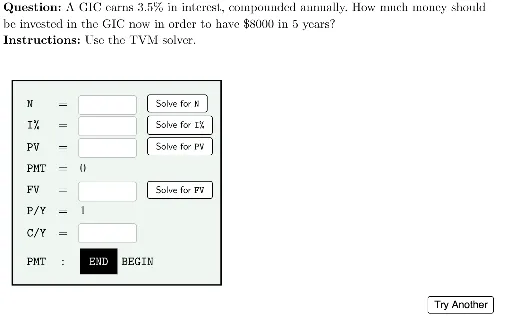
This example demonstrates the process of compound interest calculation, involving key mathematical concepts such as compound interest formula and parametric equations. Users can dynamically adjust parameters and observe changes in compound interest calculations using GeoGebra commands like Polygon, Element, and Textfield. Suitable for high school students and teachers.
GeoGebra Commands & Parameters
Polygon({(-11, -11), (-11, 11), (11, 11), (11, -11)}) → viewBoxElement(questionList, questionListIndex) → questionNumElement(A2:A9, questionNum) → questionLaTeX((((("\text{" * QUESTION) * "\\") * INSTRUCTIONS) * "}")) → TEXTElement(B2:B9, questionNum) → correctNElement(C2:C9, questionNum) → correctIElement(D2:D9, questionNum) → correctPVElement(E2:E9, questionNum) → correctPMTElement(F2:F9, questionNum) → correctFVElement(G2:G9, questionNum) → correctPYElement(H2:H9, questionNum) → correctCYElement(I2:I9, questionNum) → correctAnswerTextfield(textN) → ansNTextfield(textI) → ansITextfield(textPV) → ansPVTextfield(textFV) → ansFVTextfield(textCY) → ansCYElement(J2:J9, questionNum) → ansLinePresentValue(r, n, 0, userFV) → calcPVFutureValue(r, n, 0, userPV) → calcFV
AI Drawing Prompt Reference
Draw a compound interest calculation diagram, including a bounding box and a series of question and answer text boxes. First, draw a bounding box, then dynamically display questions and answers from a list, allowing users to input answers and see the calculation results.
The prompt above was compiled from the original drawing commands and is for reference only.