
Composition of Rotations: Constructing with Vectors and Angles
Loading the math board and drawing, please wait…
In collections
geometriadinamica.es
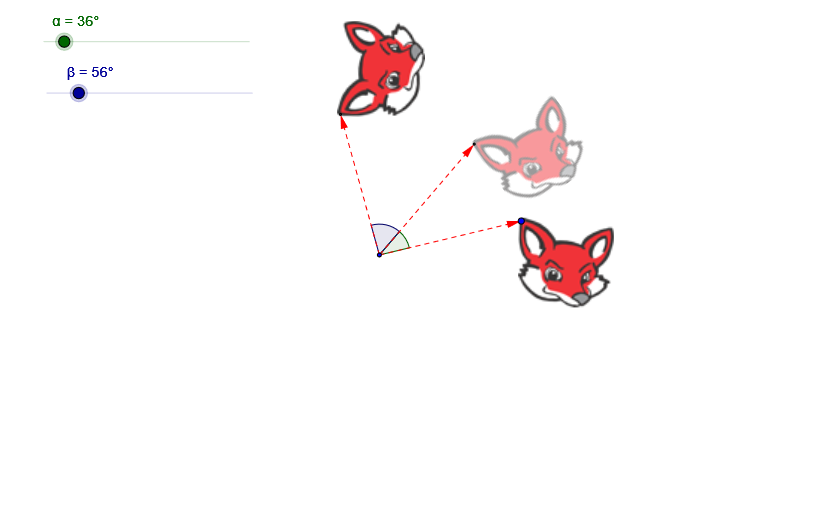
This example demonstrates how composing several planar rotations with different angles and orientations transforms the same underlying vector or geometric objects into a new directed result. It highlights the consistency of rotation composition: how angle parameters combine and how direction changes under repeated rotational transformations. The key concepts are rotational transformations, vector behavior under rigid motions (length preservation and direction update), and the use of angle relationships to control each step of the construction. From the GeoGebra construction summary, it is built using Vector to define vector objects (u, v, w), Rotate to apply successive rotations to points/figures (A, B, C, D and the visual groups pic1, pic2, pic3), and Angle to compute or parameterize the rotation angles (α, β_1, β, γ). The result is a step-by-step geometric visualization of transformation composition. Suitable for middle/high school geometry, enrichment modules, and math-competition preparation, as well as for classroom demonstrations and independent construction practice.
GeoGebra Commands & Parameters
Vector(A, B) → uRotate(pic1, α, A) → pic2Rotate(B, α, A) → CVector(A, C) → vAngle(B, A, C) → β_1Rotate(pic2, β, A) → pic3Rotate(C, β, A) → DVector(A, D) → wAngle(C, A, D) → γ
AI Drawing Prompt Reference
Draw a figure composed of multiple rotations. Start with a vector, apply a series of rotations with changing angles and directions, and end with a new vector. The figure shows the cumulative effect of rotations. Include the initial vector, rotated points, and final vector to illustrate geometric transformations.
The prompt above was compiled from the original drawing commands and is for reference only.