
Completing the Square - Advanced
Loading the math board and drawing, please wait…
In collections
Algebra 1
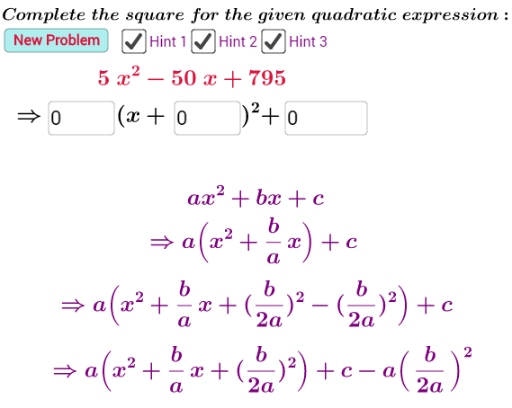
This example demonstrates solving quadratic equations and plotting their graphs using the method of completing the square. Core math concepts include completing the square, quadratic functions, vertex coordinates, and analytical geometry. Construction highlights involve GeoGebra commands/objects like Textfield, b_2, a, c_3, b_1, c, button1, f, g, text1, text5, text6, text7, text8, b_3, p_1, p_2, c_2, text2, text3, text4, g_1, g_2, g_3, InputBox1, InputBox2, InputBox3, d, e, h, text9, text10, text11. Suitable for high school mathematics teaching or student exploration of quadratic function properties.
GeoGebra Commands & Parameters
Textfield(g_1) → InputBox1Textfield(g_2) → InputBox2Textfield(g_3) → InputBox3
AI Drawing Prompt Reference
Create a visual example to demonstrate solving quadratic equations and plotting their graphs using the method of completing the square, featuring three input boxes for coefficients, with corresponding quadratic function graphs and vertex coordinates displayed below to illustrate function properties, suitable for high school mathematics teaching or student exploration of quadratic function characteristics.
The prompt above was compiled from the original drawing commands and is for reference only.