
Comparing Two Integers with '<' and '>'
Loading the math board and drawing, please wait…
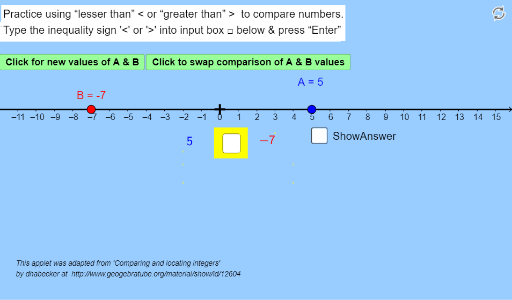
This example demonstrates how to use GeoGebra to compare the values of two integers (positive or negative). It involves the core mathematical concept of inequality symbols. Construction highlights include using commands and objects like Random, Point, Polygon, Textfield, If to create random integers, display inequality results, and swap inequality directions. Suitable for middle school mathematics learning, for self-learning and revision of basic inequality concepts.
GeoGebra Commands & Parameters
Random(-11, 13) → valueARandom(-11, 13) → valueBPoint(a) → CPolygon(D4, D3, D2, D1) → poly1, d4, d3, d2, d1Polygon(E4, E3, E2, E1) → poly2, e4, e3, e2, e1Textfield(inequalitysign) → inputBoxInequalitySignIf(b ≟ true ∧ x(B) > x(A), ">", If[b ≟ false ∧ x(A) > x(B), ">", "<"]) → CorrectAnswerIf(CorrectAnswer ≟ inequalitysign, "Correct!", "Check,...Try Again") → text2Polygon(D, E, F, G) → poly3, d, e, f, g