
Fraction Ordering Practice - Comparing Decimals and Fractions
Loading the math board and drawing, please wait…
In collections
Ordnen und Vergleichen von Bruchzahlen
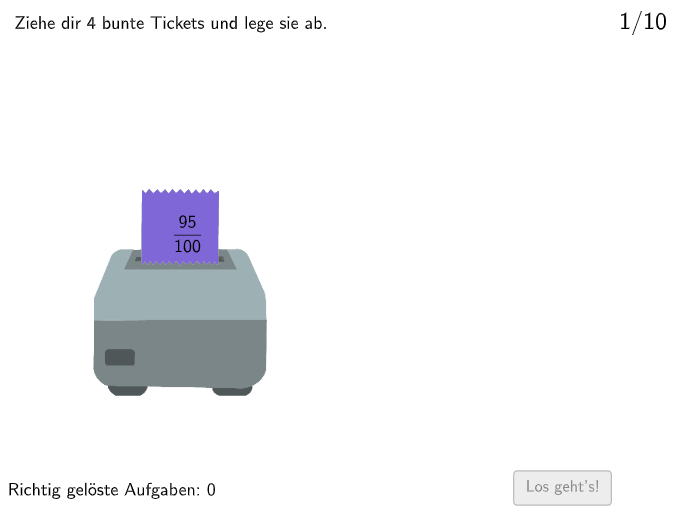
This example demonstrates how to compare and order natural numbers, non-negative decimals, and fractions. The core math concepts involved include numerical comparison, ordering, and the conversion between fractions and decimals. Key GeoGebra commands used are Shuffle (random ordering), Polygon, IsInRegion, and Text; objects include ModusListe (mode list), modus, ordnung, RandoNumListe (random number list), randomnumber, and Zettel series anchors. Suitable for 5-6 grade students to practice number comparison and ordering skills.
GeoGebra Commands & Parameters
Shuffle({1, 2}) → ModusListe, {1, 2}Shuffle({1, 2, 3, 4, 5, 6, 7, 8, 9, 10}) → RandoNumListe, {2, 1, 3, 10, 4, 5, 9, 7, 6, 8}Polygon(Q1E1, Q1E2, 4) → Box1, f, g, h, i, Q1E3, Q1E4IsInRegion(PosZettel4, Box1) → Z4inB1IsInRegion(PosZettel2, Box1) → Z2inB1IsInRegion(PosZettel1, Box1) → Z1inB1IsInRegion(PosZettel3, Box1) → Z3inB1Polygon(Q2E1, Q2E2, 4) → Box2, j, k, l, m, Q2E3, Q2E4IsInRegion(PosZettel4, Box2) → Z4inB2IsInRegion(PosZettel2, Box2) → Z2inB2IsInRegion(PosZettel1, Box2) → Z1inB2IsInRegion(PosZettel3, Box2) → Z3inB2Polygon(Q3E1, Q3E2, 4) → Box3, n, p, q, r, Q3E3, Q3E4IsInRegion(PosZettel4, Box3) → Z4inB3IsInRegion(PosZettel2, Box3) → Z2inB3IsInRegion(PosZettel1, Box3) → Z1inB3IsInRegion(PosZettel3, Box3) → Z3inB3Polygon(Q4E1, Q4E2, 4) → Box4, s, t, a, b, Q4E3, Q4E4IsInRegion(PosZettel3, Box4) → Z3inB4IsInRegion(PosZettel4, Box4) → Z4inB4IsInRegion(PosZettel2, Box4) → Z2inB4IsInRegion(PosZettel1, Box4) → Z1inB4Shuffle({1, 2}) → ZufallslisteZettel1, {2, 1}Shuffle({1, 2}) → ZufallslisteZettel2, {2, 1}Shuffle({1, 2}) → ZufallslisteZettel3, {2, 1}Shuffle({1, 2}) → ZufallslisteZettel4, {1, 2}Polygon(Z1VieleckE1, Z1VieleckE2, Zettel1Anchor_1, Z1VieleckH, Z1VieleckE3, Z1VieleckE4) → Vieleck1, z1vielecke1, z1vielecke2, zettel1anchor_1, z1vieleckh, z1vielecke3, z1vielecke4Polygon(Z2VieleckE1, Z2VieleckE2, Zettel2Anchor_1, Z2VieleckH, Z2VieleckE3, Z2VieleckE4) → Vieleck2, z2vielecke1, z2vielecke2, zettel2anchor_1, z2vieleckh, z2vielecke3, z2vielecke4Polygon(Z3VieleckE1, Z3VieleckE2, Zettel3Anchor_1, Z3VieleckH, Z3VieleckE3, Z3VieleckE4) → Vieleck3, z3vielecke1, z3vielecke2, zettel3anchor_1, z3vieleckh, z3vielecke3, z3vielecke4Polygon(Z4VieleckE1, Z4VieleckE2, Zettel4Anchor_1, Z4VieleckH, Z4VieleckE3, Z4VieleckE4) → Vieleck4, z4vielecke1, z4vielecke2, zettel4anchor_1, z4vieleckh, z4vielecke3, z4vielecke4Text(FeedbackText, A, false, true, 0) → Text3
AI Drawing Prompt Reference
This is a graphic for fraction ordering practice, featuring a random number list, a rectangular region, and multiple Zettel anchors representing numbers or fractions. The construction order is: first create the random number list, then draw the rectangular region, then place Zettel anchors inside or outside the region for sorting checks, then draw polygon regions, and finally add feedback text. The graphic uses IsInRegion to determine anchor positions, helping students visually compare values.
The prompt above was compiled from the original drawing commands and is for reference only.