
Balance Scale Problem
Loading the math board and drawing, please wait…
In collections
Wiederholung: Variablen, Terme und Gleichungen
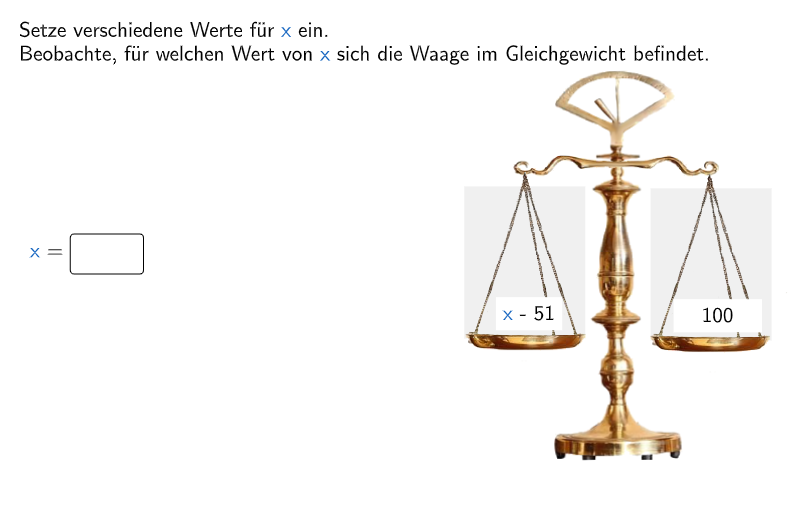
①This example dynamically demonstrates the balance state of a scale to visually show the geometric meaning of solutions to linear equations; ②Involves core math concepts: solutions to linear equations, balance of equations, number line representation; ③Construction highlights: used commands like Shuffle, Element, Polygon, Vector, Rotate, Segment, If, Join, CountIf, Textfield to create an interactive balance model and problems; ④Suitable for upper elementary or early middle school students, used for启蒙 teaching on the relationship between equation solutions and inequalities.
GeoGebra Commands & Parameters
Shuffle(l1) → tsk, {6, 4, 1, 5, 3, 8, 2, 7}Element(tsk, switch) → nPolygon(T21, T22, T23, T24) → v4, e_2, f_2, g_1, h_1Polygon(T11, T14, T13, T12) → v3, e_1, f_1, g, hVector(M, O1) → v1Vector(M, O2) → v2Rotate(v1, ((2 * kippen / 180) * π)) → v1drehRotate(v2, ((2 * kippen / 180) * π)) → v2drehSegment(E1, E2) → eIf(a, 1, -1) → bIf(Mengelinks > Mengerechts, -1, If[Mengelinks < Mengerechts, 1, 0]) → WaageIf(Waage ≟ 0, 10, 5) → faktorbJoin({Blau, Orange}) → RotBlauCountIf(Z ∈ l2, Z, Orange) → MengelinksOrangeCountIf(Z ∈ l4, Z, Orange) → MengerechtsOrangeCountIf(Z ∈ l2, Z, Blau) → MengelinksBlauCountIf(Z ∈ l4, Z, Blau) → MengerechtsBlauElement(sol, n) → solutionTextfield(inp) → InputBox1Element(sol, n) → ib
AI Drawing Prompt Reference
Draw a balance model with different colored blocks on both sides. Left side has 7 blue blocks and 4 orange blocks; right side has 5 blue blocks and 6 orange blocks. Adjust the angle to achieve a balanced state, demonstrating the solution to a linear equation. Use a slider to control the tilt angle, and when the weights on both sides are equal, the balance remains horizontal.
The prompt above was compiled from the original drawing commands and is for reference only.